Xiaomi Mijia Robot Vacuum Mop 5 pushes home cleaning toward true autonomy with AI object recognition
A front camera, and multilayer sensing designed to avoid cable nests, socks, scales—and 127 other things.
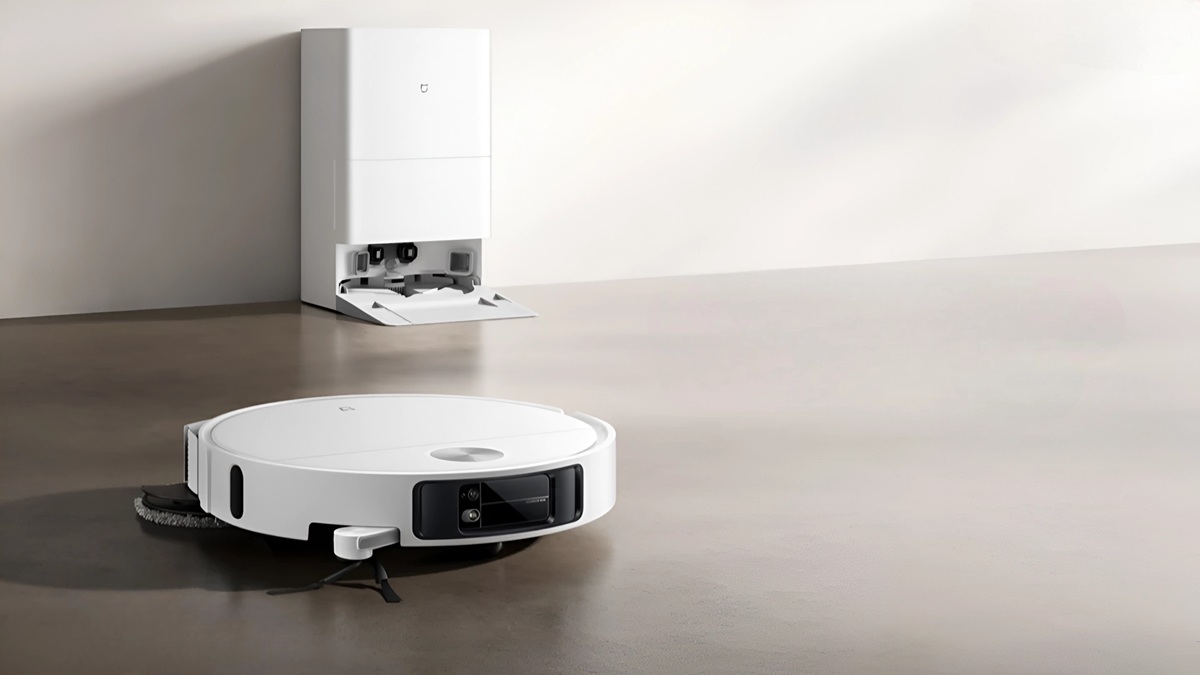
Xiaomi Mijia Robot Vacuum Mop 5 — Specifications
| Category | Spec |
|---|---|
| Model | Xiaomi Mijia Robot Vacuum Mop 5 (China-first; regional naming may vary) |
| Focus | AI obstacle avoidance with up to 130 object types (e.g., cables, socks, slippers, pet bowls, scales) — Claimed |
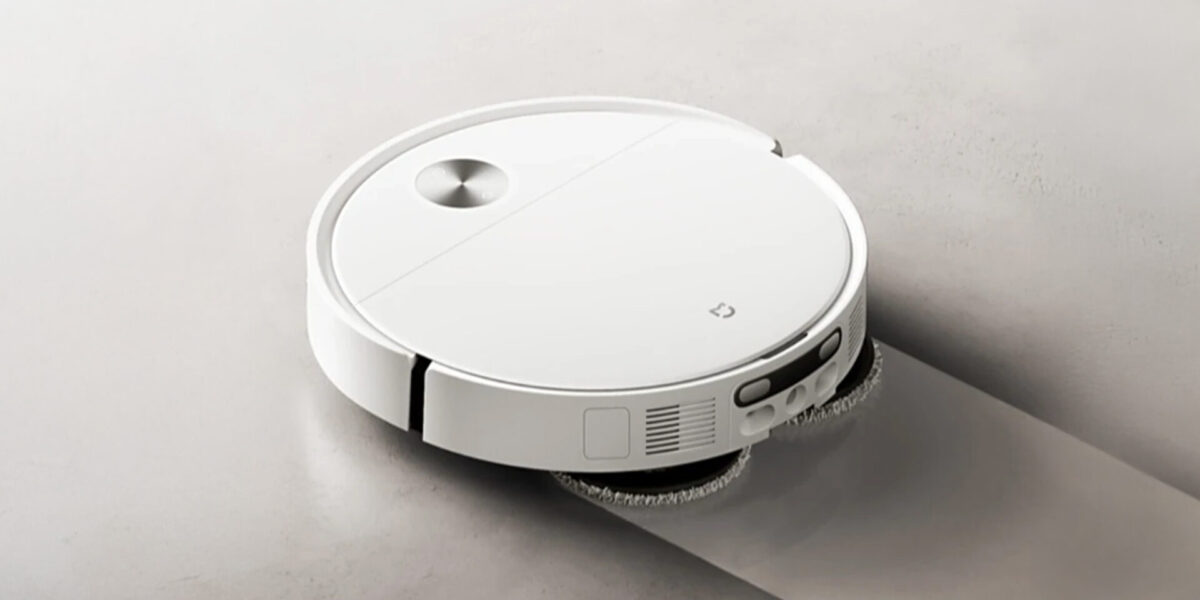
| Navigation & Sensors | Front camera (vision AI) + dToF/LiDAR with retractable radar; cliff/edge sensors; bumper sensors |
| Mapping | Multi-room, multi-floor maps; room naming; virtual walls/no-go zones; selective room/zone clean |
| Suction | “High-suction class”; regional reports note up to ~23,000 Pa — Claimed/TBC by market |
| Mopping | Vacuum + mop combo; electronic water control; reusable microfiber pad; avoid-carpet rules (software) |
| Threshold Climb | Up to ~40 mm door bars/rugs — Claimed |
| Edge/Corner Reach | Millimeter-level edge following; enhanced corner coverage (platform feature) |
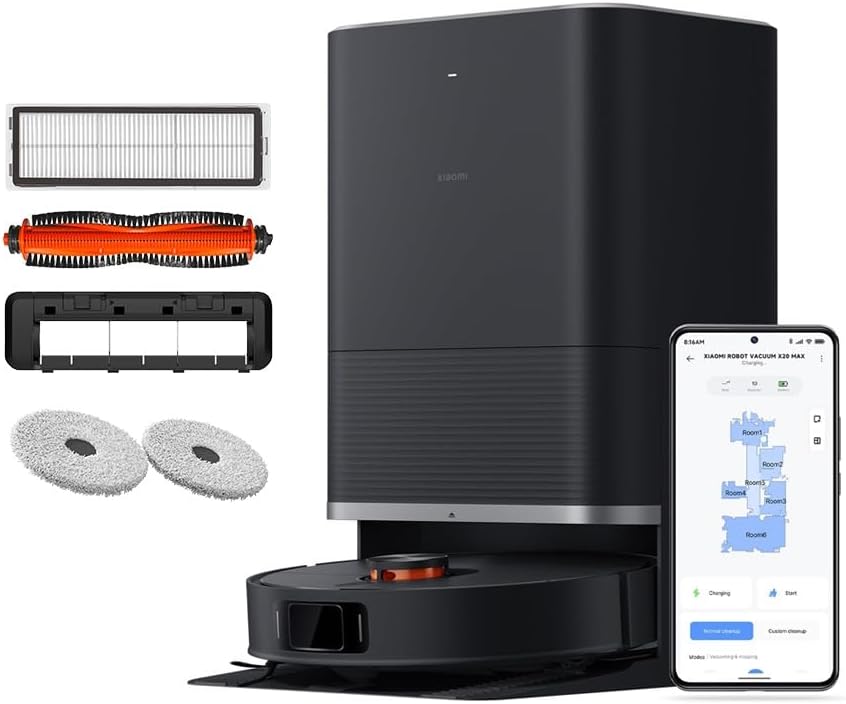
| Dock | Standard charging dock; auto-empty availability may vary by variant/region — TBC |
| Battery & Runtime | Large-capacity Li-ion; runtime TBC (depends on mode, floor type, region) |
| Dustbin / Water Tank | TBC (varies by SKU/region) |
| Noise | TBC (varies by mode; typically higher on max suction) |
| Connectivity | 2.4 GHz Wi-Fi; Mi Home/Xiaomi Home app control |
| Voice Assistants | App-first control; smart assistant support TBC by region |
| Safety/Privacy | Local obstacle recognition; app-based camera/remote view settings (features may vary by region) |
| Maintenance | Replaceable HEPA filter, main brush, side brush; washable mop pads; firmware updates via app |
| Dimensions / Weight | TBC |
| In the Box | Robot, charging dock, power cord, side brush (pre-installed or separate), mop pad(s), quick start guide — contents may vary |
| Warranty | Region-dependent |
Why this Xiaomi Mijia Robot Vacuum launch matters (the 30-second version)
Most robot vacuums fail not on suction, but on awareness—they tangle with cables, chew up socks, or wedge under furniture. Xiaomi’s Mijia Robot Vacuum Mop 5 goes directly at that problem: it claims AI obstacle avoidance that can detect and dodge up to 130 objects (cables, socks, slippers, scales, etc.), adds a front camera to “see” low-profile hazards, and uses a retractable LiDAR/dToF module so it can slide under low coffee tables or TV benches without a fixed “tower” getting stuck. Early regional reporting also notes up to 23,000Pa suction and threshold climbing up to 40 mm—two specs aimed at homes with thick rugs and raised door bars. Mundo Xiaomi+1
Bottom line: fewer rescues, more completed runs. If your current bot pings you three times a week for help, the Mop 5’s perception stack is the upgrade you’ve been waiting for.
Key features at a glance
- AI obstacle avoidance (up to 130 types): Trained on common household items—cables, socks, slippers, bowls, scales—so it avoids the stuff that ruins scheduled cleans.
- Front camera + sensor fusion: Vision adds context to LiDAR, improving recognition of low, soft or complex objects (cord loops, plush toys).
- Retractable LiDAR/dToF radar: The mapping sensor extends when needed and retracts to clear low furniture—similar tech highlighted on Xiaomi’s new global 5-series platform.
- Heavy-duty suction lineage: Regional coverage cites up to 23,000Pa on Mop 5; Xiaomi’s 5-series family (notably 5 Pro) publicly touts ultra-high suction plus advanced object ID—indicating where the platform is headed.
- Better pass-through: Reports of ~40 mm threshold climbing target the exact door bars and rug lips that stop many bots.
- Modern edge/corner cleaning: Millimeter-level edge sweeping (seen on the global Robot Vacuum 5 platform) suggests improved kickboard and corner coverage—historically a weak spot for round robots.
What’s genuinely new here (beyond “more Pa”)
1) Vision that treats clutter as a first-class problem
Object avoidance has shifted from “nice to have” to table stakes. The Mop 5’s front camera + AI is trained on dozens of low, irregular, or soft items that LiDAR alone struggles to classify—charging cables, hair ties, slippers, pet toys, and scale feet. In practice, that means fewer mid-run stoppages and less babysitting before a scheduled clean.
2) A low-profile approach to mapping
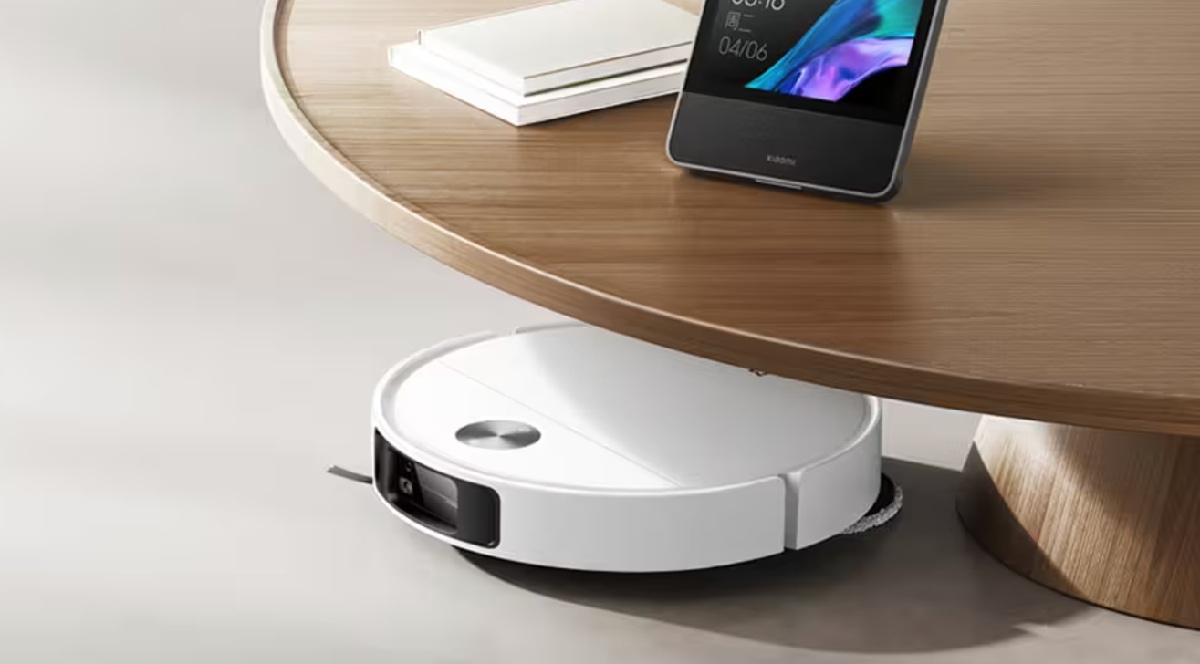
Traditional LiDAR turrets are great at mapping but bad at ducking under furniture. Xiaomi’s retractable dToF/LiDAR (spotlighted across the latest 5-series) lets Mop 5 keep millimeter-level ranging when it needs it, then lower its profile to reach spots towered bots skip. It’s a simple idea that unlocks a lot of square footage.
3) Focus on finishing the run
Specs like 23,000Pa and 40 mm threshold ability sound flashy, but the real story is completion rate. If a robot consistently gets past door lips, doesn’t eat cables, and sees socks before contact, it finishes—and finished runs are what keep dust from compounding into weekend chores.
How it compares in late-2025
- Against premium rivals with “grabbing arms”: Some flagships now physically move socks or cables. That’s impressive, but adds mechanical complexity and time per obstacle. Mop 5 chooses avoidance and agility—a faster solution for everyday clutter at likely lower cost.
- Against LiDAR-only bots: These still get lost on low, soft, or reflective items and often wedge under TV stands. Xiaomi’s camera + retractable LiDAR is a pragmatic step-up without going full “robot arm.”
- Within Xiaomi’s lineup: The global Robot Vacuum 5 Pro spells out the platform—AI object ID, front camera, retractable radar, and very high suction—while Mijia Mop 5 brings the same philosophy to China under the Mijia name. Expect overlapping features and regional naming differences. Xiaomi
Real-home performance: where you’ll notice the difference
Cables around the sofa: The typical robovac worst-case. Mop 5’s object model is trained to spot thin, snaking shapes and detour before contact. Fewer tangles, fewer brush cleanouts.
Kids’ rooms: Plush toys, socks and scattered clothes blow up most cleaning schedules. Vision + structured sensing reduces “false positives” (stopping for shadows) while still steering clear of hazards.
Kitchen edges & kickboards: Xiaomi’s platform emphasis on millimeter-level edge sweeping and tight corner coverage means less residue along baseboards—a common complaint with round bots.
Door bars and thick rugs: That ~40 mm claim (regionally reported) matters in older apartments or homes with raised transitions. Instead of splitting rooms into separate zones, one schedule can handle multiple spaces.
Setup checklist (so the AI learns fast)
- Map in daylight: First runs in good light help the camera build better models of low-contrast obstacles.
- Tidy once, not daily: Coil the worst cable nests on day one; after that, Mop 5’s avoidance takes over.
- Name rooms as you map: Use the app labels (Kitchen, Hall, Office) to create quick routines later (e.g., “Post-dinner kitchen clean”).
- Create no-go slivers: Block the two inches in front of dangling power strips or a pet’s bowl area; you’ll never think about them again.
- Dock placement: Hard floor, flat against a wall, with ~0.5 m clearance on each side helps auto-empty and re-docking reliability.
Who should buy this (and who shouldn’t)
Buy it if…
- Your current robot gets tangled in cables or stops on socks/toys at least once a week.
- You have door thresholds or thick rugs and want one schedule to clean multiple rooms.
- You want less maintenance and fewer rescues even if it means slightly less raw “Pa” than the most extreme spec monsters.
Skip it if…
- You live in a minimalist, cable-free space and a solid LiDAR bot already finishes every run.
- You specifically want a bot that lifts obstacles (not just avoids them); look at premium “arm” flagships instead.
Related Posts You Might Like
Early verdict
The Xiaomi Mijia Robot Vacuum Mop 5 is less about headline suction and more about noticing the world. By combining a front camera, AI obstacle taxonomy (the “130 objects” claim), and a retractable LiDAR/dToF stack, Xiaomi is chasing the only metric that really matters: Does it finish the job without you? If regional numbers like 23,000Pa suction and 40 mm thresholds hold up in global testing, Mop 5 will be one of 2025’s most reliable daily cleaners for busy, clutter-prone homes.
Quick FAQ
Can it really dodge cables, socks and scales?
That’s the headline: Xiaomi says Mop 5’s AI recognition can identify and avoid up to 130 obstacles, explicitly including cables, socks, slippers and scales.
Does it have a front camera and LiDAR?
Yes—Mop 5 coverage references a front camera for avoidance. Xiaomi’s current 5-series platform (e.g., Robot Vacuum 5 Pro) also touts binocular/HD front vision plus a smart retractable dToF radar—the tech Mop 5 appears to share in philosophy.
How high a threshold can it climb?
Regional reporting cites up to 40 mm—useful for raised door bars and plush rugs that stop basic bots.
Is this a global model or China-first?
Right now Mop 5 is China-first under the Mijia label. Globally, keep an eye on Xiaomi Robot Vacuum 5/5 Pro listings; they showcase the same obstacle-aware platform direction, with regional naming differences.
Real-world cleaning scenarios (where the Mop 5 actually saves time)
The promise of the Xiaomi Mijia Robot Vacuum Mop 5 isn’t a shiny spec; it’s the number of weekly “rescues” you don’t have to do. Picture a lived-in apartment: a laptop charger snakes under the sofa, a pair of socks lurks by the ottoman, and the kid left a toy truck near the TV stand. Older bots bulldoze into that chaos and stall; the Mop 5’s camera-assisted model is tuned for precisely these “soft” obstacles. The payoff is reliability: your Monday-Wednesday-Friday schedule finishes consistently, so crumbs never snowball into a Saturday deep clean. In a two-bedroom with a hallway threshold, those claimed higher climbs also mean a single routine can cover both sides without manual zone swapping.
In studio flats, the advantage shows up as coverage. Low benches and TV consoles usually hide swaths of dust a tower-LiDAR can’t reach; the Mop 5’s lower profile with retractable ranging broadens the cleaned footprint. In larger houses, the win is predictability: if the bot dodges cable nests and pet bowls instead of nudging them, you can comfortably run a pre-guest cycle an hour before people arrive, confident it won’t ping you mid-prep.
Floor-type playbook: tile, hardwood, rugs, long-pile
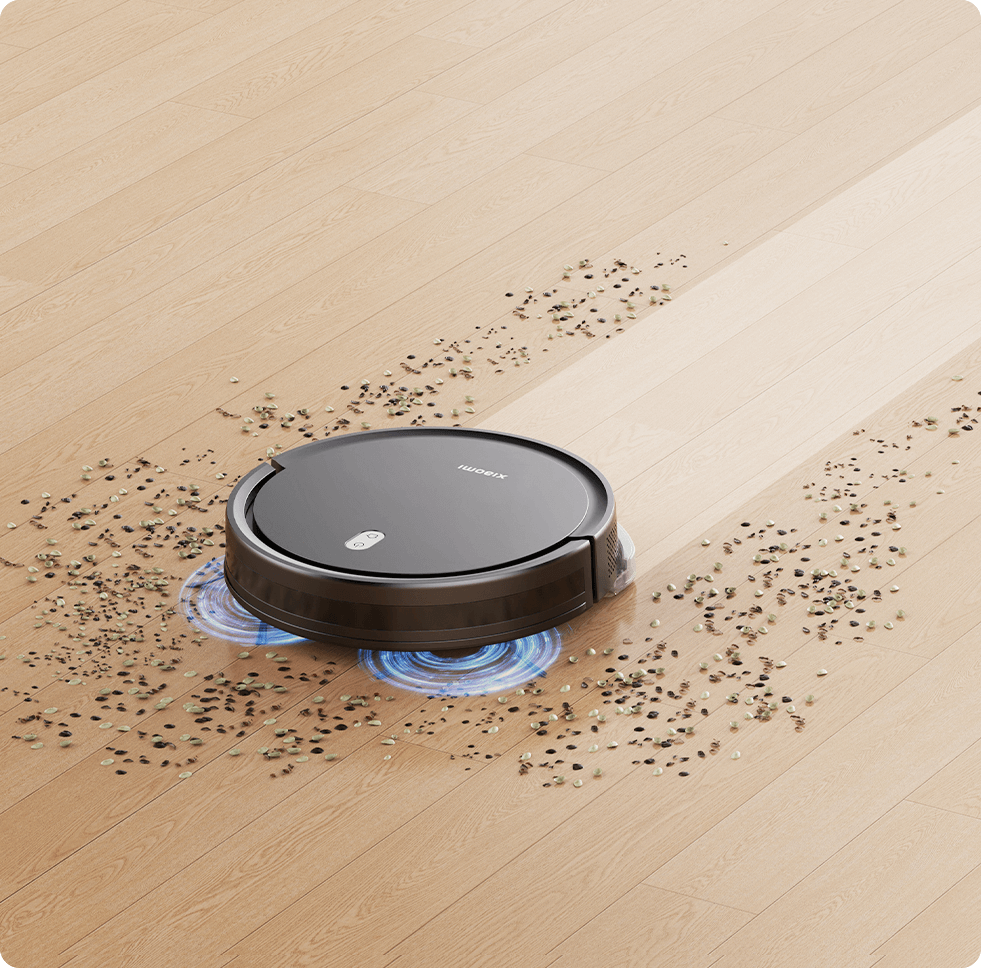
Tile & stone. Hard surfaces reward strong airflow plus a mop pass. The Mop 5’s suction lineage helps for grout lines and kitchen grit; use a medium suction preset to reduce noise and battery drain. A second, quick mop pass removes fine dust that vacuums leave behind on glossy tile.
Hardwood. The enemy is micro-scratches from trapped grit. Schedule a short daily run to keep debris down, then mop on alternate days with a lighter water level. Edge behavior matters on kickboards; that’s where sensor precision pays off.
Low/medium rugs. Here you want a carpet boost that ramps only when fibers are detected. The Mop 5’s obstacle awareness won’t directly increase suction, but avoiding sock snags keeps the brush active. If you mix rugs and hardwood, set room-based presets so the bot automatically reduces water when crossing textiles.
Long-pile & shag. No robot loves these. The goal isn’t perfection; it’s keeping surface fluff under control between upright vacuum sessions. Raise the brush height (if available in the app), cap suction one step below max to avoid digging and stalling, and run a weekly upright clean for deep fibers.
Mopping strategy: streak-free finishes without baby-sitting
Robot mops live or die by water control and pad maintenance. For kitchens and entryways, schedule a quick evening mop with low water output; the pad picks up the day’s footprints before they harden. Bathrooms need a separate routine with a slightly higher water level but strict no-go zones around bath mats. If your layout allows, create a “resets” scene: the Mop 5 completes vacuuming, returns to the dock for a short pause, then runs a targeted mop on tile rooms only, avoiding rugs and runners. Swap pads every two to three runs to prevent re-depositing grime — treat pads like dish sponges, not heirlooms.
Setup & mapping: a 20-minute plan that prevents headaches
- First run in daylight. Better lighting means better early classification of low, dark objects.
- Room labeling while it maps. Don’t wait—name rooms as soon as boundaries appear so schedules become human-readable (“Kitchen after dinner,” “Bedrooms 11am”).
- No-go micro-zones. A 5–10 cm strip in front of power strips and pet bowls eliminates 80% of nuisance stops.
- Threshold test route. Walk the bot (virtually) to your tallest door bar and observe one crossing. If it hesitates, nudge approach angle via split rooms or routing lines rather than raising suction blindly.
- Dock placement reality. Put the base on hard floor with side clearance; a wobbly carpet under the dock causes crooked docking and failed auto-empties.
Maintenance schedule: the 10-minute monthly routine
- Daily: Empty dustbin if you don’t use auto-empty. Rinse mop pad if it smells damp.
- Weekly: Pop the main brush, remove hair wraps, and check the side brush. Wipe sensors with a dry microfiber; moisture smears confuse depth cameras.
- Monthly: Clean wheels, inspect the brush bearings, and wash pads thoroughly with mild detergent. If you mop often, swap to a fresh pad mid-month.
- Quarterly: Replace filters and side brush if bristles droop. Re-run a mapping pass if you’ve rearranged furniture.
This cadence keeps airflow strong and perception crisp. Most “my robot got dumber” complaints trace back to dusty sensors and tired pads.
Noise, pets, and nighttime runs
Noise ratings vary by mode, but technique helps more than raw numbers. Run hard-floor areas while you’re out; schedule bedroom cleans during afternoons, not at night. For pets, daytime cycles also reduce stress—they see and hear the robot while fully awake. If you’ve got a skittish cat, start with a “micro-zone” routine in the least-used room to build tolerance, then expand zones each day. For dogs that chase the robot, try a pre-walk run: start the bot, leash up, and head out together; they’ll learn the cycle and stop treating it as a toy.
Privacy & data posture: what to think about with camera-equipped bots
A front camera helps with obstacle avoidance; it also raises privacy questions. Treat the Mop 5 like any connected camera:
- Guest awareness: If you host frequently, run cleaning before guests arrive, not mid-party.
- Network segmentation: Put the robot on a guest or IoT Wi-Fi SSID to limit lateral access to laptops or NAS drives.
- App hygiene: Use strong, unique credentials and enable two-factor for the account controlling the robot.
- Home view discipline: If the app offers live view, restrict who can access it and turn it off when you don’t need remote checks.
- Firmware first: Early updates often fix navigation quirks and improve privacy toggles—apply them before your first scheduled week.
These steps are simple but meaningful for peace of mind.
Cost of ownership: what you actually spend after checkout.
Robot vacuums are like printers: consumables matter. Expect to replace filters every 2–3 months (more often with pets), side brushes twice a year, main brushes once or twice a year depending on hair, and mop pads as they lose texture. If you use an auto-empty dock, add dust bags every month or two. Realistically, budget a modest monthly amount for consumables and a half-hour for maintenance. Compared with paying for a weekly cleaning service, the numbers stay wildly favorable over a year — especially if the robot’s reliability means you vacuum with an upright far less often.
Troubleshooting without the rage spiral
- “It keeps missing one corner.” Increase overlap by creating a tiny cleaning zone just for that corner, then add it to the end of your main schedule.
- “It thinks my black rug is a cliff.” Some cliff sensors overreact to deep black. Add a narrow no-go outline along the rug edge, but leave the center cleanable; many bots will cross once the edge is defined.
- “It got lost under the couch.” Nudge furniture by a centimeter, or create a tiny no-go fence under the lowest lip. Retractable ranging helps, but physics still matters.
- “It smeared a spill.” Robots aren’t for wet messes. Pause the session, manual clean, wash the pad, and resume with a quick spot clean.
The goal is to adjust the map, not your life. Two or three tiny, permanent rules are better than constant manual rescues.
Compare by home type: pick the right profile
Compact apartments (≤60 m²). The Xiaomi Mijia Robot Vacuum Mop 5 shines by threading under low furniture and avoiding cable nests — maximum coverage with minimum prep. Choose one daily vacuum run and a short mop three nights a week.
Family homes (mixed floors). Create per-room routines: kitchen after dinner, living room mid-morning, bedrooms early afternoon. Use medium suction + carpet boost, and block three micro-zones (power strips, pet bowls, Lego zone). Reliability beats raw power here.
Pet households. Schedule two runs on heavy-shed days: a quick morning pass to catch dander and a targeted evening pass near feeding areas. Wash pads more frequently to avoid odor recirculation.
Older houses with thresholds. If the Mop 5 clears your tallest bar, unify rooms in a single schedule. If one threshold remains tricky, split that room into a dedicated routine so the robot approaches from the “easy” side.
Automation ideas that feel like magic (no coding required)
- “Dinner mode.” At 8:15 p.m., lights shift warm, a playlist starts low, and the robot runs a 15-minute kitchen zone while you clear dishes.
- “Leaving home.” When your phone exits the geofence, the robot starts a whole-home vacuum pass and pauses before mopping.
- “Pet area refresh.” After the pet feeder dispenses breakfast, trigger a 10-minute clean around bowls (via time or smart plug cue).
- “Weekend reset.” Saturday at 10 a.m., a full vacuum plus mopping of tile zones only.
- “Quiet hours.” Block robot runs between 9 p.m. and 8 a.m. so bedrooms stay peaceful.
These small automations convert good hardware into a system that supports your routines without nagging.
Myths, busted (so expectations match reality)
“More Pa always equals cleaner floors.” Airflow helps, but completion rate and edge coverage matter more. An avoidant, agile robot that finishes every run will outperform a louder spec monster that stalls twice a week.
“Robots replace upright vacuums.” They reduce how often you need one. For deep pile, stairs, and upholstery, a manual session still wins — but far less frequently.
“Mapping is one-and-done.” Your home changes. Seasonal rugs, a rearranged nursery, and new furniture all warrant a fresh quick map pass so the robot keeps making smart choices.
“All camera bots are privacy risks.” Risk depends on your practices. Segmented Wi-Fi, strong credentials, and disabling remote view when you don’t use it mitigate most concerns.
Editor’s verdict.
For busy households, the Xiaomi Mijia Robot Vacuum Mop 5 is a trustworthy daily maintenance machine, not a science experiment. Its value proposition isn’t just suction or a shiny dock; it’s the compound effect of finishing the job: less dust in corners, fewer surprise tangles, and cleaner floors every single day without micromanagement. If your pain points are cables, socks, toys, door bars, or low furniture, the Mop 5’s AI avoidance + retractable ranging combo directly targets them. If you want a robot that physically moves obstacles, different category; if you want a robot that avoids them and keeps moving, this is the smarter play.
Quick buyer checklist.
- Does your home have low furniture? If yes, prioritise the Mop 5’s retractable ranging profile.
- Are cables and socks common? Ensure you create two micro no-go strips on day one; then forget about them.
- Mixed floors? Build room-based presets so suction and water levels auto-switch.
- Pets? Increase pad swaps and consider a double daily schedule in shedding seasons.
- Thresholds? Test the tallest first; adjust approach angles or create a dedicated routine if needed.
“Week One” success plan (so you love it from day two)
Day 1: Map daytime, label rooms, set two micro no-go fences.
Day 2: Run kitchen and living room schedule; inspect edges and adjust.
Day 3: Add bedroom routine; test the highest threshold.
Day 4: Enable a short mop for tile rooms; wash pad after.
Day 5: Add pet area refresh after breakfast.
Day 6: Create a weekend reset (full vacuum + mop).
Day 7: Maintenance: clean brush, wipe sensors, rinse pad.
By the end of week one, the robot feels invisible — which is the highest compliment for any household gadget.
App tour: the 10 settings that actually matter
Most robovacs now have crowded apps. Here’s the short list that changes your daily experience:
- Room labels & icons: Name rooms (“Kitchen,” “Hall”) and add small icons—makes schedules human-readable at a glance.
- Cleaning sequences: Set the order: Kitchen → Dining → Living. Crumbs don’t track from later rooms back into cleaned areas.
- Zone cleans: Draw rectangles for “under table,” “entry mat,” or “pet bowls.” Add as one-tap routines.
- Carpet boost toggle: Leave ON for mixed floors; OFF in all-hardwood homes to save battery and noise.
- Auto water cut-off on carpet: Ensure it’s enabled so the bot doesn’t dampen rugs mid-mop.
- No-go micro-strips: A 5–10 cm fence in front of power strips or dangling cables solves 80% of nuisance stops.
- Quiet hours: Prevent late-night runs and dock noise (auto-empty) during sleep.
- Double-pass mode: Use in the kitchen only; it’s overkill elsewhere.
- Child/Pet lock: Blocks physical start buttons—clutch if you have curious hands or paws.
- Maintenance counters: Reset after replacing filters/brushes; the app reminds you before performance dips.
Dock types explained (and how to choose)
Standard charge dock: Small footprint, simple. Best if you don’t mind emptying the bin every 1–3 runs.
Auto-empty dock: Larger, pricier, but cuts hands-on time. Bags typically last 30–60 days.
Wash-fill dock (if a variant offers it): Automates pad washing and water refill; ideal for tile-heavy homes. Consider space (depth) and drain access if the dock supports plumb-in kits.
Tip: Place the dock on a hard surface; cloth edges/tufts can catch the robot’s wheels during docking and skew auto-empty alignment.
Lab-style performance checks you can do at home
You don’t need a test lab to validate performance. Try these three quick trials:
- Edge pickup: Sprinkle a teaspoon of lentils along a baseboard. Run a single room clean. Inspect the “kickboard line.” If you still see a ridge, add a slow-speed edge pass (if available) or nudge furniture 1–2 cm from the wall.
- Cable gauntlet: Lay a coiled USB-C and a shoelace under the TV bench. The bot should identify and detour without contact. If it nudges, draw a 5 cm no-go strip in front of the bench; you’ll still get dust removal from the open edge.
- Threshold climb: Put a paperback at a doorway to simulate ~10–12 mm. If the robot hesitates, try a shallower approach angle by splitting the room or adding a virtual line that “aims” the approach.
Record a 15-second clip of each; it’s useful if you ever need support—and good content for your socials.
Consumables & running costs (transparent plan)
- HEPA filter: replace every 2–3 months (more often with pets).
- Main brush: every 6–12 months depending on hair wraps.
- Side brush: every 3–6 months (watch for droop).
- Mop pads: rotate/wash after 2–3 runs; replace when the pile flattens.
- Dock bags (if applicable): 1–2 months each depending on shedding and debris.
Rule of thumb: set a tiny monthly budget for parts—still far cheaper than frequent manual deep cleans and less time-intensive than a weekly housekeeper.
Privacy posture: sensible habits for camera-equipped bots
- IoT network: Put the robot on a guest/IoT SSID.
- Least privilege: Only one admin account; family members get limited roles for start/stop.
- Home view boundaries: If remote view exists, aim the dock so the camera faces a neutral wall when parked.
- Firmware discipline: Update before you start recurring schedules; early updates often improve object recognition and privacy toggles.
- Event logs: Skim monthly; surprise “camera events” usually trace to reflections or pets—not intrusions.
Pet-owner playbook
- Two-phase days: A quick morning vacuum around bowls and beds; a whole-home pass in the afternoon.
- Pad hygiene: Rinse pads more frequently to prevent odor recirculation; a dab of neutral detergent helps.
- Shedding seasons: Replace filters monthly; hair + dander clog faster and cut suction.
- Litter guard: Create a 5 cm no-go strip at the litter perimeter. It keeps the bot from pushing granules deeper.
Apartment vs. house: tuning by layout
Studios & 1-bed: Prioritize coverage under low benches and bed frames; that’s where dust accumulates fastest. Use one nightly pass, 15–20 minutes.
Family homes: Build room-based presets: Kitchen after dinner; Living at midday; Bedrooms after school. You’ll get cleaner floors with less run time and noise overlap.
Older homes with door bars: If one threshold remains tricky, make that room its own routine so the robot always approaches from the easier side.
Troubleshooting matrix (fast fixes, no rage)
| Problem | Likely cause | Fix in 60 seconds |
|---|---|---|
| Missed a corner | Path overlap too low | Add a tiny “zone clean” at the end of the main schedule |
| “Cliff” false alarms on black rug | IR sensors overreact | Draw a slim no-go around the edge; leave the center cleanable |
| Stuck under TV bench | Lip too low for chassis | Add a 5 cm fence under the bench; clean from front only |
| Streaky mop finish | Dirty pad/water level too high | Wash pad, lower water, run a short second pass on tile only |
| Frequent cable tangles | Loops protrude into path | One permanent micro-fence in front of power strip; done |
Seasonal cleaning calendar (set & forget)
- January: Post-holiday glitter & pine needles—double pass in living, single elsewhere.
- April: Pollen; increase filter changes and mop frequency for entry and balcony doors.
- July: Sand season; run a quick entryway clean after beach days.
- September: Back-to-school craft fallout; protect kids’ corners with micro-no-go fences.
- December: Guests incoming; schedule a pre-arrival whole-home pass and a targeted “under table” clean.
Buying advice by home type & tolerance level
- “I hate tinkering.” Choose the variant with auto-empty; set one whole-home schedule and two quick zones.
- “I’m an optimizer.” Build room-based routines, enable double pass in kitchen only, and review logs weekly.
- “Pet chaos central.” Two short daily runs, extra pad sets, filter monthly.
- “Minimalist apartment.” A standard dock + one nightly pass is enough; enjoy near-silence by limiting max suction to medium on hard floors.
Competitive context (no brand wars, just clarity)
Some rivals now try mechanical pickup (small arms) to move socks and cables. It’s clever but slower and more complex. The Mop 5’s avoid-and-continue approach suits homes with predictable clutter: it spends its time cleaning, not manipulating. If your home is a constant obstacle course, a flagship with pickup hardware can make sense—otherwise, the Mop 5’s focus on awareness and coverage delivers more value per minute.
Battery strategy: endurance without anxiety
- Charge windows: Let the bot start between 60–80% for best longevity; avoid back-to-back max-suction runs daily.
- Smart top-up: If the bot supports “charge to finish,” leave it on—better a short top-up than dragging a low battery across carpets.
- Quiet charging: Some docks hum while emptying. Put the dock away from bedrooms and set quiet hours.
Editor’s Q&A
Q: Will it replace my upright vacuum?
A: Not entirely. It slashes how often you need the upright. Keep a manual vacuum for stairs, deep shag, and upholstery.
Q: Do I need the auto-empty dock?
A: If you run daily and have pets, yes—less mess, less friction. If you’re in a small apartment and vacuum every other day, a standard dock is fine.
Q: How many no-go zones are too many?
A: After 2–3 micro-strips, you’re done. If you’re drawing ten, tidy one area or route cables differently—it’ll save time long-term.
One-week onboarding plan!
Day 1: Daylight mapping, label rooms, add two micro-fences.
Day 2: Kitchen + living schedule, inspect edges, adjust.
Day 3: Bedrooms, test tallest threshold.
Day 4: Tile-only mop; wash pad after.
Day 5: Pet area quick clean after breakfast.
Day 6: Whole-home pass; auto-empty.
Day 7: Maintenance: brush, sensors, pad wash; set recurring schedules.
Final guidance.
What makes the Xiaomi Mijia Robot Vacuum Mop 5 interesting isn’t a single headline number; it’s that sequence of small, well-chosen decisions—AI that respects clutter, retractable ranging to reach hidden dust, and smart app controls that turn a robot into a low-maintenance habit. Add two micro-fences, schedule by rooms, rinse pads on a rhythm, and you’ll get cleaner floors with less thought—exactly what “smart home” should mean in 2025.
Final word
News moves fast, but floors get messy faster. The Xiaomi Mijia Robot Vacuum Mop 5 stands out because it treats clutter as the core engineering problem. With thoughtful setup, light maintenance, and a couple of well-placed no-go slivers, it does the quiet, boring work that makes homes nicer to live in — every single day. That’s the kind of “AI” most people actually want.
MadeMeBuyItNow.com is a participant in the Amazon Services LLC Associates Program, an affiliate advertising program designed to provide a means for sites to earn fees by linking to Amazon.com and affiliated sites. As an Amazon Associate, we earn from qualifying purchases.
RELATED PRODUCTS FROM AMAZON
About the Author
Elias Chicas is a tech enthusiast and smart home gadget reviewer with years of experience testing the latest devices in the USA and globally. He provides in-depth, hands-on reviews to help readers make informed decisions on smart home products.
Follow Elias for honest reviews, tips, and tutorials on smart home gadgets, robots, and innovative technology.
Join the Mademebuyitnow Community!
Don’t miss the latest tech reviews, smart home hacks, and viral gadgets! Follow us on our social channels and stay ahead in the world of smart home innovation:
Be part of our growing community, share your favorite gadgets, and get the latest tips directly from Mademebuyitnow!
🔥 Join 120,000+ Smart Shoppers!
Get exclusive gadget deals, viral Amazon finds and tech reviews before they trend. Only the best — straight to your inbox every week 🚀