This guide will show you, step by step, how to protect your privacy with smart devices in 2025 without needing to be a tech expert. We will cover smart TVs, speakers, cameras, phones, routers, AI assistants and more – in simple language and with practical actions you can do today.

Privacy & Security • Smart Home • Updated 2025
Smart devices make everyday life easier, but after researching and setting up multiple smart home products, one thing became very clear: most users don’t really know how much personal data they are sharing.
In 2025, smart speakers, robot vacuums, cameras, and connected appliances are more powerful than ever — and so are the privacy risks. This guide explains how smart devices collect data, what risks most people ignore, and how you can protect your privacy without giving up convenience.
Why Privacy Matters More With Smart Devices in 2025
Before we look at settings and security, it is important to understand why you should care. Smart devices are not just simple tools. They are small computers that constantly talk to servers on the internet. The more devices you add, the more your daily routine is turned into data.
When you think about how to protect your privacy with smart devices in 2025, think about what they can see and hear:
- Smart speakers can record voice commands and sometimes background conversations.
- Smart TVs know what you watch, when you watch and even which apps you open.
- Smart cameras and doorbells capture video of your home, family and neighbors.
- Smartwatches track your heart rate, movement, sleep and sometimes your location.
- Smart lights, plugs and thermostats can reveal when you are home or away.
- Phones and tablets are full of apps that request permissions they do not really need.
On their own, each data point might not sound dangerous. But together they can form a detailed picture of your habits, schedule, interests and even health. That information can be used for targeted advertising, sold to data brokers, or exposed in a data breach if a company is hacked.
The goal of this protect your privacy with smart devices 2025 guide is not to make you paranoid. It is to help you reduce unnecessary data collection, so that if something goes wrong, there is simply less sensitive information available to leak or misuse.
| Smart Device Type | Main Privacy Risk | How to Reduce It |
|---|---|---|
| Smart Speakers | Always listening microphones | Disable voice history and mute mic |
| Robot Vacuums | Home mapping data | Choose devices with local storage |
| Smart Cameras | Cloud data leaks | Enable two-factor authentication |
| Smart Displays | Facial recognition | Turn off face recognition features |
| Smart Plugs | Usage tracking | Limit app permissions |
Real Privacy Risks Most Smart Device Users Ignore
Many privacy issues don’t come from hackers, but from default settings most users never change. Some of the most common risks in smart homes include:
-
Always-on microphones in smart speakers that can store voice history
-
Robot vacuums that map your home layout and upload it to cloud servers
-
Smart cameras storing footage on external servers outside your country
-
Weak default passwords that are never updated
-
Mobile apps requesting unnecessary permissions, such as contacts or location access
These risks don’t mean smart devices are unsafe — but they do require conscious configuration.
Step 1: Understand What Data Your Smart Devices Collect
You cannot protect your privacy with smart devices in 2025 if you do not know what they are recording. Luckily, most devices fall into a few simple categories of data.
Types of Data Smart Devices Often Collect
- Account data: Name, email address, phone number, payment methods, addresses.
- Usage data: When you turn things on/off, what you watch, what you search, which buttons you press.
- Location data: Your home address, Wi-Fi networks nearby, sometimes GPS coordinates.
- Audio data: Voice commands you give to assistants, sometimes short snippets around the wake word.
- Video data: Clips from security cameras, doorbells and sometimes smart displays.
- Health and activity data: From wearables and fitness devices.
- Technical data: IP address, device model, operating system version and app versions.
The first action for anyone who wants to protect their privacy with smart devices in 2025 is to ask: “What does this device actually need to know to work, and what is extra?”
Practical Exercise: Make a 5-Minute Device List
Grab a note app or a piece of paper and list your smart devices:
- Smart TVs
- Smart speakers and displays
- Smart cameras and doorbells
- Smart plugs, lights, thermostats
- Smartwatches and fitness trackers
- Game consoles connected to the internet
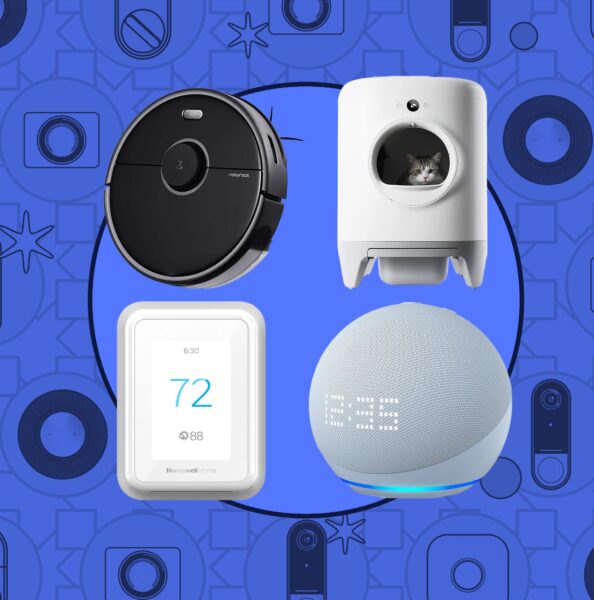
- Any other “connected” device (fridges, robot vacuums, etc.)
For each item, write down: what it does for you and what kind of data it probably collects. This simple exercise makes the rest of this protect your privacy with smart devices 2025 guide much easier, because you can go device by device instead of feeling lost.
Step 2: Start With Your Wi-Fi Router – The Heart of Your Smart Home
Every smart device you own talks to the internet through your Wi-Fi router. If the router is weak or misconfigured, all your privacy and security efforts are built on sand. To truly protect your privacy with smart devices in 2025, you should treat your router like the main door to your digital house.
Essential Router Privacy & Security Tips
- Change default passwords: Never leave the admin or Wi-Fi password as it came in the box. Use strong, unique passwords.
- Use WPA3 or at least WPA2: Check your Wi-Fi security mode. Avoid outdated options like WEP.
- Create a guest network: Put visitors and low-trust devices (like cheap smart plugs) on a guest Wi-Fi network, separate from your main devices.
- Update firmware: Log into your router once in a while and apply updates. They often fix security holes.
- Disable WPS: If your router has a “Wi-Fi Protected Setup” button, consider turning this feature off. It can sometimes be abused.
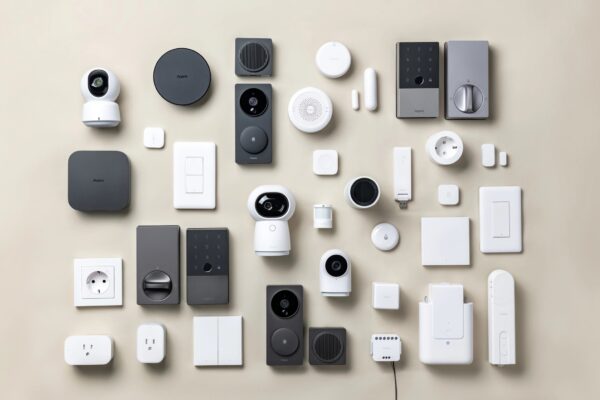
Some newer routers are designed specifically for smart homes and include easy-to-use dashboards that show which devices are connected and how much data they use. If your router offers this, use it to spot unknown devices or unusual activity.
Taking one hour to secure your router is one of the highest-impact steps in this entire protect your privacy with smart devices 2025 guide. It improves the safety of every device that connects to it, without you having to change each one individually.
Step 3: Lock Down Accounts, Passwords and Two-Factor Authentication
Most smart devices in 2025 are tied to an online account. That means protecting your privacy is not just about the physical device but also about the login credentials behind it. If someone gets into your account, they may gain access to your cameras, your voice recordings or your home settings.
Use Strong, Unique Passwords
One of the simplest and most powerful moves to protect your privacy with smart devices in 2025 is to stop reusing passwords. Use a different password for:
- Your main email account.
- Your phone’s app store account.
- Your smart home platform (or platforms, if you use multiple).
- Accounts for cameras, doorbells and security devices.
- Any online service that can control devices in your home.
A password manager can help you generate strong passwords and store them securely. That way you only have to remember one master password instead of dozens.
Turn On Two-Factor Authentication (2FA)
Two-factor authentication adds a second layer of protection, usually a code sent to your phone or an authentication app. Even if someone learns your password, they cannot log in without the second factor.
For this protect your privacy with smart devices 2025 guide, prioritize enabling 2FA on:
- Your main email (because password resets for other accounts often go there).
- Your smart home hub platform.
- Accounts for security cameras, alarms and door locks.
Think of it this way: if a device can unlock your front door, show your living room or listen to your family, its account should always have two-factor authentication enabled whenever possible.
Step 4: Control App Permissions on Phones and Tablets
Many smart devices are controlled through apps on your phone or tablet. Those apps often ask for permissions that go far beyond what they truly need. To protect your privacy with smart devices in 2025, you should treat app permissions like you treat keys to your house – give them only when they are necessary.
Common Permissions to Check
- Location: Does the app really need your precise GPS location, or would approximate location be enough – or none at all?
- Microphone: Some apps need microphone access for voice control, but many do not. Turn it off when not needed.
- Camera: Only allow camera access to apps that genuinely need to scan codes or take pictures.
- Contacts: Be careful with apps that want access to your entire contact list without a clear reason.
- Files and photos: Allow access only when necessary and consider using limited access options when offered.
Both major mobile platforms in 2025 let you review permissions in one place. Take 15–20 minutes to go through your installed apps and:
- Revoke permissions that are clearly unnecessary.
- Change “always allow” to “allow only while using the app” for location and microphone where possible.
- Delete apps you no longer use – every unused app is a possible privacy risk.
This one-time audit significantly improves your overall safety and directly supports your effort to protect your privacy with smart devices in 2025, because many smart home apps try to collect more data than they really need.
Step 5: Adjust Privacy Settings on Smart TVs and Smart Speakers
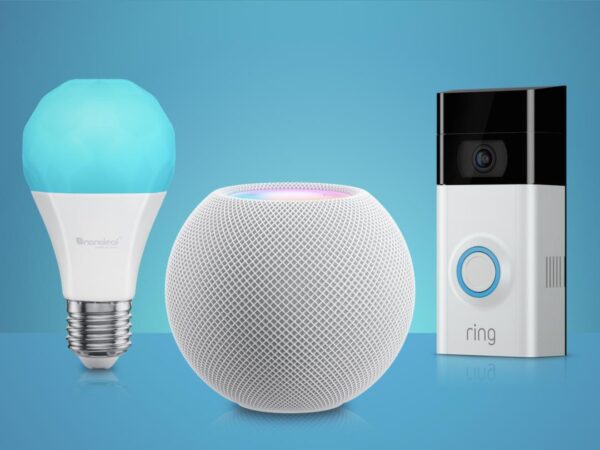
Smart TVs and smart speakers are two of the most common devices in modern homes, and they can collect a surprising amount of data. The good news is that most major brands now include privacy settings that you can adjust if you know where to look.
Smart TVs: Limit Tracking and Voice Data
To protect your privacy with smart devices in 2025, start by opening the settings menu on your TV and looking for sections labeled:
- Privacy
- Advertising
- Viewing Information
- Voice Services
- Data Collection or Analytics
Common privacy-friendly changes include:
- Turning off “viewing data” or “content recognition” that tracks what you watch across apps and channels.
- Disabling personalized ads based on viewing behavior.
- Limiting or disabling microphone access if you do not use voice remote features.
Smart Speakers: Manage Voice Recordings
Most voice assistants in 2025 offer options to review and sometimes auto-delete voice recordings. In their companion apps, look for:
- History or “My Activity”.
- Voice & Audio settings.
- Options to auto-delete recordings after a period.
- Settings to limit voice data used for training systems.
For this protect your privacy with smart devices 2025 guide, a good baseline is:
- Set voice recordings to auto-delete regularly (for example every 3 or 18 months, depending on what is available).
- Delete existing history if you are not comfortable with it being stored.
- Turn off “improve voice recognition” features if you prefer less data being used for training.
You can still use your smart speaker for timers, music and questions while lowering the amount of long-term data stored about your voice interactions, which is exactly the goal when trying to protect your privacy with smart devices in 2025.
Step 6: Be Extra Careful With Cameras and Doorbells
Smart cameras and doorbells are some of the most sensitive devices you can own. They are extremely useful for security, but they also create continuous video records of your home and surroundings. If you want to protect your privacy with smart devices in 2025, you must treat cameras with special care.
Placement and Angles Matter
Before installing a camera, ask:
- Does it really need to face inside my bedroom, bathroom or private spaces?
- Can I angle it to see doors and windows without capturing more than necessary?
- Am I recording neighbors or public areas in ways that might create legal or ethical issues?
A small change in angle or height can dramatically reduce how much personal life is recorded, while still providing useful security footage.
Secure Accounts and Streams
For any device that records video, this protect your privacy with smart devices 2025 guide strongly recommends:
- Using a strong, unique password and 2FA on the account.
- Checking if remote viewing is truly needed. If not, disable access from outside your home network if the device allows it.
- Reviewing who has access – remove guest users who no longer need it.
- Checking how long video clips are stored in the cloud and whether you can shorten that period.
Cameras bring real security benefits, but they also increase the impact if something goes wrong. That is why they deserve extra attention when you plan how to protect your privacy with smart devices in 2025.
What I Personally Recommend in 2025
Based on ongoing research and real-world smart home setups, the safest approach in 2025 is choosing devices that offer:
-
Local data storage instead of mandatory cloud uploads
-
Manual control over permissions and data history
-
Transparent privacy policies and regular security updates
Paying slightly more for privacy-focused devices often results in better long-term security and peace of mind.
Step 7: Protect Kids’ and Family Privacy Around Smart Devices
Children are growing up surrounded by connected devices. Smart TVs in their rooms, tablets for games, smart speakers that play songs on command – all of these can also collect data about them. When you work to protect your privacy with smart devices in 2025, you should include kids and guests in your thinking.
Talk Simply About Smart Devices
You do not need to scare your children, but it is healthy to explain:
- That smart speakers and TVs can “hear” or “see” things when they are active.
- That it is okay to ask permission before installing new apps or signing in to strange websites.
- That they should not share personal details (addresses, school names, full names) with games or apps that ask for them.
Use Profiles and Parental Controls
Many platforms offer kid profiles, time limits and content filters. These are not only for content – they can also reduce data collection:
- Create child accounts where possible instead of letting kids use your main profile.
- Limit voice purchases and account-linked shopping from smart speakers and TVs.
- Turn off personalized ads for child profiles whenever you see the option.
Protecting children’s digital footprints is part of a modern family’s effort to protect privacy with smart devices in 2025. Small settings today can make a big difference in how much data is stored about them over the years.
Step 8: Use AI Assistants and Smart Features More Carefully
In 2025, more devices than ever use some form of artificial intelligence – from voice assistants that summarize your messages to TVs that recommend content and apps that generate text or images. These tools can be incredibly helpful, but they often rely on processing your input in the cloud.
Think About What You Share
When you ask an AI assistant to read or summarize something, you are often sending that content to remote servers. To protect your privacy with smart devices in 2025, avoid putting into AI tools:
- Full legal documents with sensitive personal data.
- Unredacted medical records.
- Passwords, banking information or full IDs.
- Private details about other people who did not consent.
It is fine to use AI tools for generic questions, rewriting text or planning schedules, but treat them as services where careful editing of what you share is a smart habit.
Check “Data for Training” Settings
Some AI-powered services now let you choose whether your interactions are used to improve their models. If a setting like “use my data to improve services” or “allow training on my content” exists, you can often turn it off.
Choosing stricter options reduces how much long-term information is added to training datasets, which supports your overall goal to protect your privacy with smart devices in 2025 without giving up helpful features completely.
Step 9: Build Healthy Daily Habits Around Smart Devices
Privacy is not a one-time project. It is more like hygiene: small habits repeated over time. The more natural these habits feel, the easier it becomes to protect your privacy with smart devices in 2025 and beyond.
Simple Habits That Make a Big Difference
- Update regularly: When devices or apps ask to update (and the update comes from official sources), install it. Updates often fix security issues.
- Review devices twice a year: Every 6 months, walk through your home and list all connected devices. Remove or reset ones you no longer use.
- Log out of old apps: If you stop using a platform, log out, delete the app and consider deleting the account if possible.
- Be cautious on public Wi-Fi: Avoid controlling your most sensitive devices from open public networks when possible, or use secure connections.
- Use screen locks: Protect phones and tablets with PINs, passwords or biometrics. Remember: many smart devices are controlled through these screens.
None of these habits require deep technical knowledge, but together they quietly reduce the risk that your smart devices will expose more about you than you intended.
Over time, acting with a “privacy first” mindset becomes automatic, and that is one of the strongest ways you can protect your privacy with smart devices in 2025 without constantly worrying.
Step 10: Quick Checklist – Protect Your Privacy With Smart Devices in 2025
To help you turn this long guide into action, here is a short checklist you can follow. You can do it in one day or spread it out over a week.
Smart Device Privacy Checklist 2025
- ✅ Make a list of all smart devices in your home.
- ✅ Log into your Wi-Fi router and change default passwords if needed.
- ✅ Turn on strong Wi-Fi security (WPA2 or WPA3) and create a guest network.
- ✅ Use a password manager and create unique passwords for key accounts.
- ✅ Enable two-factor authentication on important smart home and camera accounts.
- ✅ Review app permissions on your phone and revoke anything unnecessary.
- ✅ Open your smart TV privacy settings and turn off unnecessary tracking.
- ✅ Check your smart speaker or assistant app and set voice recordings to auto-delete.
- ✅ Review camera placements and adjust angles to avoid recording sensitive spaces.
- ✅ Remove or reset devices and accounts you no longer use.
- ✅ Talk with family members about smart device privacy in simple, calm language.
- ✅ Schedule a reminder to repeat this review every 6–12 months.
Even if you only complete half of this checklist, you will have taken meaningful steps to protect your privacy with smart devices in 2025 and make your home more resilient against data misuse and unwanted tracking.
Who Should Be Extra Careful With Smart Device Privacy?
Privacy settings are important for everyone, but they matter even more if you:
-
Live with children or teenagers
-
Work from home or handle sensitive information
-
Travel frequently and leave devices unattended
-
Rent your home or live in shared spaces
-
Use multiple smart devices from different brands
In these cases, small privacy mistakes can quickly turn into serious data exposure.
FAQ
Can smart devices record me without my knowledge?
Most devices record data only when activated, but default settings may store voice history or activity logs. Reviewing privacy settings is essential.
Are robot vacuums a privacy risk?
Yes, especially models that create detailed home maps. Choosing devices with local storage or encrypted cloud services reduces this risk.
Do smart devices sell my data?
Most major brands claim they don’t sell personal data, but they may use it for analytics or improvements. Always read privacy policies carefully.
YOU MIGHT LIKE TO READ THIS ARTICLES!
Lenovo Legion 9i 2025 Review in One Look
Final Thoughts: A Smarter, Safer Smart Home in 2025
Smart devices are not going away. If anything, 2025 and the years ahead will bring even more connected gadgets and AI-powered features into our homes. Instead of rejecting them completely or accepting everything blindly, you can choose a third path: enjoy the benefits while applying thoughtful limits.
This protect your privacy with smart devices 2025 guide has shown that you do not need to be a programmer or security specialist to make a difference. Securing your router, using strong passwords, adjusting privacy settings, controlling app permissions and thinking carefully about cameras and AI tools are all within your reach.
The most important idea is simple: you are allowed to say “no” to certain data collection. You are allowed to turn off features you do not use. You are allowed to delete history and reduce how much companies know about your private life. Your home should feel safe, both physically and digitally.
If you start applying even a few of the steps from this guide, you are already moving in the right direction. Smart technology can make life easier – and with the right habits, it does not have to cost you your privacy.
How We Approach Privacy at MadeMeBuyItNow
At MadeMeBuyItNow, we prioritize user privacy and independent research. We don’t accept paid reviews, we don’t sell user data, and we focus on helping readers make informed decisions based on real-world usefulness — not marketing trends.
Follow MadeMeBuyItNow for More Viral Amazon Finds 🚀
We test viral Amazon gadgets, smart home tech, and TikTok Made Me Buy It products so you don’t waste money.
Follow us for daily deals, honest reviews, and gadgets that actually work.
Save viral Amazon finds, gift ideas & smart home gadgets 📌
Trending gadgets, deals & viral reviews daily 💥
Smart home, Amazon finds & tech news 🧠
Reels, viral gadgets & daily Amazon deals 📱
TikTok Made Me Buy It gadgets you’ll love 🔥
Honest reviews, comparisons & long-form tests 🎥
👉 Follow us and never miss the next viral Amazon gadget.
🔥 Join 120,000+ Smart Shoppers!
Get exclusive gadget deals, viral Amazon finds and tech reviews before they trend. Only the best — straight to your inbox every week 🚀