The ultimate, relaxed-read guide to Amazon’s 2025 Echo lineup—Echo Dot Max, Echo Studio (2025), Echo Show 8 & Echo Show 11—plus Alexa+ (the generative-AI revamp), pricing, release dates, what’s actually new, and which model to buy for your home.
Affiliate note for your site: As an Amazon Associate, I earn from qualifying purchases.

TL;DR (skim-friendly) 🎯
- Amazon’s 2025 lineup includes four new Amazon Echo devices powered by Alexa AI—Echo Dot Max, Echo Studio (2025), Echo Show 8 (2025), and Echo Show 11—built around custom AZ3/AZ3 Pro chips and a new Omnisense sensor fusion platform so Alexa+ (the generative-AI upgrade) can respond faster, hear better, and act more proactively. About Amazon+1
- Alexa+ is the next-gen assistant: more conversational, context-aware, and capable of multi-step tasks across services and devices. It’s in Early Access, rolling out on the new Echo hardware and more recent Echo models. About Amazon
- The Echo Show 8/11 add sharper displays, 13MP cameras, a refreshed visual UI, and built-in hubs for Matter/Thread/Zigbee. The Dot Max focuses on punchier sound and better wake-word pickup; the Studio (2025) shrinks yet keeps spatial audio/Dolby Atmos and ties neatly into Fire TV for Alexa Home Theater. The Verge+1
- Older Echo devices: many will support Alexa+, but first-gen models and a few early units stay on classic Alexa. Check your model before you plan routines. The Verge
Alexa+ in plain English (why it feels different) 🤖
Think of Alexa+ as Alexa with a brain upgrade: it parses messy requests, follows your context, and can chain actions (e.g., “Move my 3 p.m. to tomorrow, ping the group chat, and show me Ring clips I missed while I was out”). Under the hood, Amazon pairs large language models with task “experts” and runs more on-device thanks to AZ3/AZ3 Pro accelerators—so routine things like wake word, speaker ID, and local control feel snappier on the new Amazon Echo devices powered by Alexa AI. About Amazon+1
The Omnisense platform blends signals (camera presence, mics, motion/ultrasound, Wi-Fi/channel state, etc.) so Alexa+ can be ambiently helpful: surface the right cards when you approach Show 8/11, nudge you about a door left unlocked, or suggest building a routine from something you already do. You decide what’s on; everything is adjustable in the privacy dashboard. EU About Amazon
The lineup at a glance (just what matters)
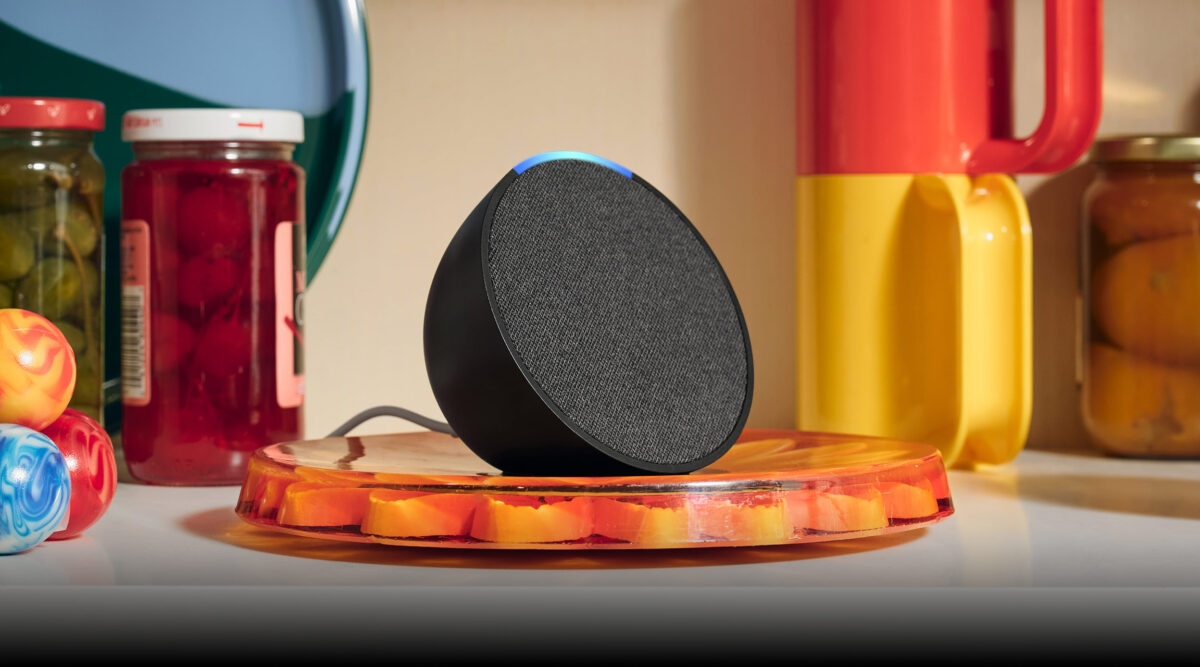
Echo Dot Max (2025) — small size, bigger sound, better ears 🔊
- New two-way driver design and updated acoustics aim for fuller, room-friendly sound.
- AZ3 silicon improves wake-word accuracy and low-latency local tasks.
- Alexa+ Early Access out of the box. Great for bedrooms, desks, and kitchens as a voice hub. About Amazon
Echo Studio (2025) — compact body, immersive feel 🏠🎶
- Shrinks notably from the prior Studio while keeping spatial audio and Dolby Atmos for music/TV.
- Upgraded layout and AZ3 Pro silicon for richer on-device audio/AI processing.
- Pairs with Fire TV for Alexa Home Theater (multi-speaker setups, auto-tuned). Forbes+1
Echo Show 8 (2025) — the “kitchen brain” done right 🍳
- Sharper, more readable display tech; 13MP camera; cleaner, glanceable UI.
- Built-in hub: Matter/Thread/Zigbee—less bridge clutter, faster onboarding.
- Recognizes approach and personalizes cards; first stop for a family smart-home board. The Verge
Echo Show 11 — the family dashboard 📆
- Larger, floating-style screen with front-firing stereo and 13MP camera.
- New Media Control Center + Alexa+ Home pages: music/podcasts at a glance, device tiles, Ring summaries, shared calendars.
- Designed as the living-room command center for new Amazon Echo devices powered by Alexa AI. The Verge
Smart-home upgrades you can actually feel 🏡
Built-in hubs (Show 8/11) cut onboarding pain: add lights/locks/sensors without hunting for bridges. Matter/Thread/Zigbee support means more brands “just work,” and you can build room groups by voice. Daily routines become simpler because Alexa+ can compose multi-step flows from natural speech (“When I say Movie Night, dim lights, close blinds, and set TV to HDMI 1”). The new Amazon Echo devices powered by Alexa AI have the muscle to run these locally where it makes sense, trimming lag and keeping things resilient. EU About Amazon
Real example: Put Show 8 in the kitchen. As you approach, it quietly slides up timers, your calendar tiles, a “Start Coffee?” card at 7 a.m., and a Ring snapshot if the doorbell fired in the last hour—without you poking anything. That’s Omnisense plus Alexa+ being actually helpful, not just flashy. EU About Amazon

Alexa Home Theater, the non-nerdy way to upgrade TV sound 📺🎵
You can pair multiple Echo speakers with Fire TV and let Alexa calibrate the room. A Studio (2025) anchored setup gives you immersive audio for sports and movies, while Dot Max units can handle rear/side roles in smaller rooms. This lands in the “finally do-able” zone for renters and busy families—no receiver spaghetti, no hour-long setup. About Amazon
Privacy, consent, control 🛡️
Alexa+ ships with the same mic-off and camera shutter controls on Shows. The privacy dashboard makes it easy to review/delete voice interactions, manage remembered preferences, and toggle ambient sensing. You can use Alexa+ with minimal memory turned on or lean into personalization—your call. New Amazon Echo devices powered by Alexa AI put these switches up front so you’re never guessing. About Amazon
Who each Echo is really for (no fluff)
- Dot Max: first smart speaker; bedrooms/offices; quick routines; improved music in small spaces.
- Studio (2025): music fans and TV upgraders who want immersive sound without audio-nerd complexity.
- Show 8: kitchens/entryways; family logistics; smart-home hub; bite-sized visual answers.
- Show 11: living-room dashboard; shared calendars; media controls; Ring summaries in one place.
If you only buy one: Show 8 for the home brain, or Studio for “wow” audio. If you’re building a set, start with one of those and add Dot Max units to round out rooms.
What reviewers and industry watchers are saying (quick pulse)
Coverage from major tech outlets focuses on Alexa+ as the headline shift and the AZ3/AZ3 Pro hardware as the enabler: faster, more conversational assistant; better mics and sensing; Show displays with more useful UI; and a simple path to multi-speaker TV audio. Expect continuous feature drops over the coming months as Alexa+ expands to more devices and skills. The Verge+2Forbes+2
Setup day that doesn’t eat your Saturday (15-minute plan)
- Unbox → place: Dot Max in a bedroom/office; Studio flanking the TV; Show 8 in kitchen; Show 11 in living room.
- Create room groups first (“Kitchen,” “Living Room”).
- Add your lights/locks on Show 8/11 (built-in hubs cut steps).
- Teach preferences you want remembered (morning routine, commute, news). You can keep it minimal and expand later.
- Home Theater (optional): pair Studio(s) + Dot Max as rears with Fire TV; run auto-tune.
- Voice-build 3 routines: Good Morning (lights + news), I’m Home (scenes + temp), Goodnight (locks + noise machine).
You should feel the benefits on day one—without opening ten different apps. EU About Amazon
Everyday wins you’ll notice in week one
- Timers that don’t step on each other (screen UI keeps them tidy).
- Smarter follow-ups (“actually make that 8 minutes”).
- Ambient nudges: “Do you want me to add this to your evening routine?”
- Quieter wake-word success: less shouting from the hallway (thanks AZ3 arrays). About Amazon
- One-screen control for lights/thermostats/media on Show 11’s dashboard. The Verge
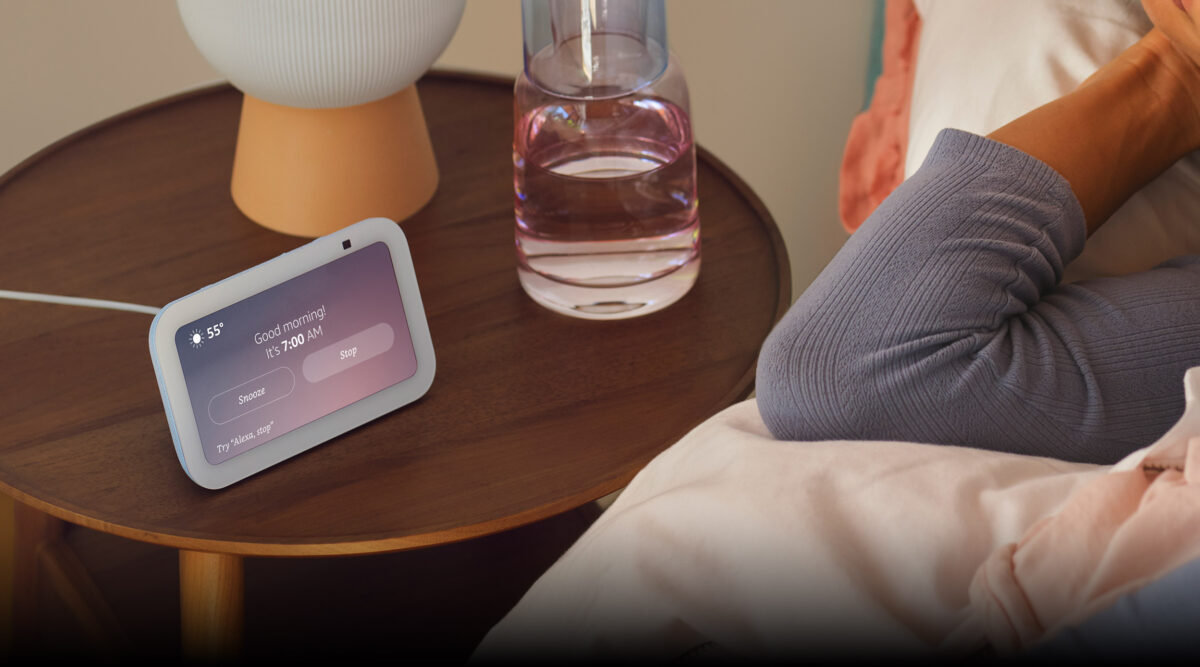
Advanced tricks (when you’re ready to flex)
- Presence-aware routines with Omnisense: lower blinds when you leave, resume lights on approach (you can keep it room-scoped to avoid creepiness). EU About Amazon
- Multi-step voice plans: “Alexa, help me plan a study block every weekday at 8,” building timers, playlists, and Do Not Disturb. About Amazon
- Visual summaries: ask Show to summarize last night’s Ring motion with thumbnails (availability varies by account/device). EU About Amazon
Accessibility and family-friendly design ♿️
- Bigger, cleaner tiles on Show 11 reduce taps for kids and grandparents.
- Camera shutter + mic mute are tactile and obvious.
- Voice and captions coexist; Show 8/11 answers can stay visual even if a room is noisy.
- Households: add profiles for personalized cards and callouts when you walk up. The Verge
Will your current Echo get Alexa+?
Many existing Echo models will gain Alexa+ (staged rollout), but the earliest generations won’t—those remain on classic Alexa. If you’re on a first-gen Echo/Dot or an early Show/Spot, plan as if you’ll need new hardware for the full feature set. The new Amazon Echo devices powered by Alexa AI are the most future-proof path. The Verge
The tech bits (short, non-boring)
- AZ3 vs AZ3 Pro: both are custom chips with on-device AI acceleration; Pro has more headroom for language/vision workloads (used in Show 8/11 and Studio). That translates to quicker speech understanding and richer visual responses without punting everything to the cloud. PPC Land
- Omnisense: blends signals from camera/mics/motion and more to power ambient, context-aware behavior—with your permissions. EU About Amazon
- Matter/Thread/Zigbee hubs (Show 8/11): fewer bridges, faster pairing, and a cleaner device list in one place. EU About Amazon
Straight-talk pros & cons
Pros
- Noticeably more natural assistant, less “robot syntax.” About Amazon
- Faster local reactions and better wake-word accuracy on the new silicon. About Amazon
- Show 8/11 feel like true smart-home hubs (Matter/Thread/Zigbee), not just screens. EU About Amazon
- Home Theater with Echo speakers is finally simple enough to recommend to non-nerds. About Amazon
Cons
- Alexa+ is evolving; features may roll out in waves, and some legacy skills might lag. WIRED
- Oldest Echo devices won’t get the upgrade—expect to mix generations or replace the earliest units. The Verge
Buyer’s map (pick your combo without overthinking)
- “I want a smarter home hub and a family calendar screen.” → Echo Show 8 (kitchen/entry) or Show 11 (main room).
- “I want better TV sound with minimal setup.” → Echo Studio (2025) starter, then add another Studio or two Dot Max rears.
- “I just want to start cheap and expand later.” → Dot Max as a first step; add a Show or Studio when you’re hooked.
If you already own recent Echo speakers and just want Alexa+, try the rollout first; if your model is on the oldest list, jump to a new Amazon Echo device powered by Alexa AI for the full experience. The Verge
Troubleshooting (fast wins)
- “It keeps asking me to repeat.” Move Dot Max a bit away from corners or reflective surfaces; retrain voice profile; check network noise. AZ3 helps, but placement still matters. About Amazon
- “Lights feel laggy.” Pair them to the Show 8/11 hubs when possible (Matter/Thread/Zigbee) instead of cloud-only bridges. EU About Amazon
- “TV audio is out of sync.” Re-run Alexa Home Theater calibration in the Fire TV settings. About Amazon
- “I don’t want presence features.” Toggle off specific Omnisense inputs (camera presence, motion cues) in the privacy dashboard; keep only what helps. EU About Amazon
Content ideas
To help this post rank around the focus keyword “new Amazon Echo devices powered by Alexa AI,” add internal links to:
- A quick explainer: “What is Alexa+? 10 things it does better than classic Alexa”.
- A setup guide: “Alexa Home Theater in 10 minutes (no soundbar required)”.
- A how-to: “Make your first 3 routines by voice (Good Morning, I’m Home, Goodnight)”.
- A privacy piece: “Alexa+ privacy settings you should check on day one”.
Keep outbound links minimal; cite the About Amazon announcements and one or two mainstream outlets.
FAQ
What are the new Amazon Echo devices powered by Alexa AI?
Echo Dot Max, Echo Studio (2025), Echo Show 8 (2025), Echo Show 11—custom AZ3/AZ3 Pro chips + Omnisense sensors, designed for Alexa+. About Amazon+1
What is Alexa+ in simple terms?
A more conversational, context-aware Alexa that can chain tasks and personalize your home flows; rolling out in Early Access with the new lineup. About Amazon
Do the new Echo Shows have built-in smart-home hubs?
Yes—Matter/Thread/Zigbee are integrated for easier device onboarding and quicker control. EU About Amazon
Can I use Echo for TV sound without a soundbar?
Yes; pair Echo speakers with Fire TV for Alexa Home Theater and let Alexa auto-tune the room. About Amazon
Will my old Echo get Alexa+?
Many will, but first-gen and some early models won’t (they stay on classic Alexa). Check your exact model. The Verge
Quick Specifications (copy/paste friendly) — 2025 lineup
These are concise spec snapshots to complement your long-form narrative. They’re device-overview tables (no prices), designed to help readers compare the new Amazon Echo devices powered by Alexa AI at a glance.
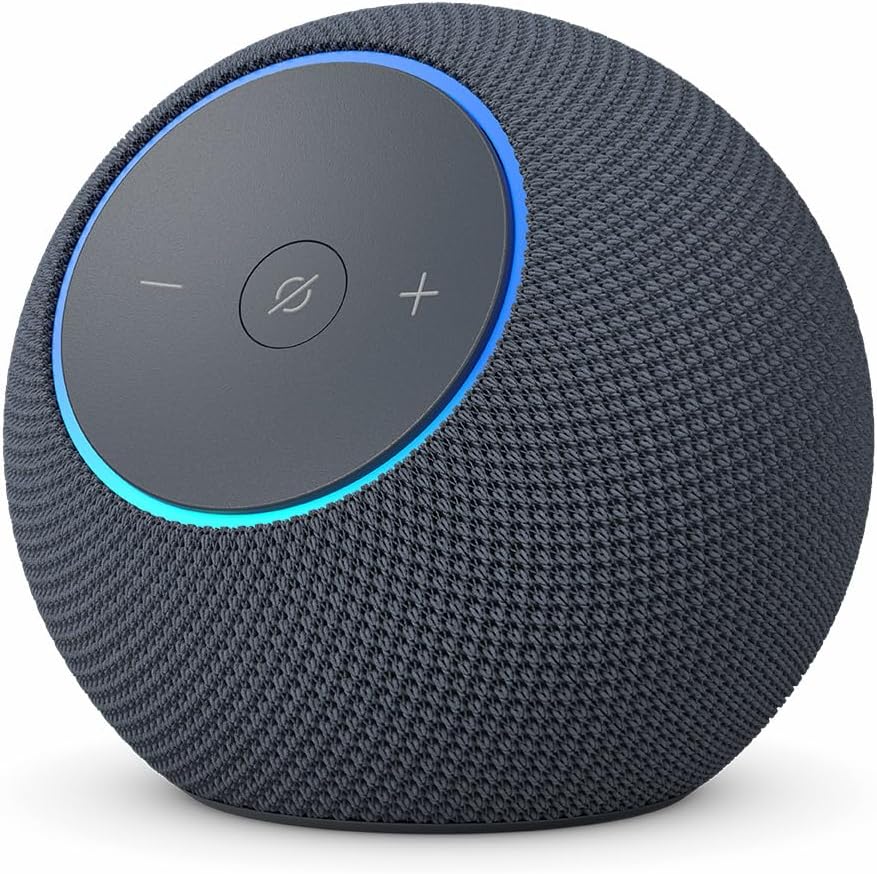
Echo Dot Max (2025)
- Category: Compact smart speaker
- Core AI: AZ3, Alexa+ ready
- Audio: Two-way setup (woofer + tweeter), tuned for fuller bass vs older Dots
- Mics: Enhanced far-field array, improved wake-word accuracy
- Smart-home: Works as voice hub; pairs with other Echo devices
- Use-cases: Bedrooms, offices, kitchens; alarms, timers, quick routines, background music
- Extras: Ambient sensing hooks (Omnisense), multi-room audio, Bluetooth input/output
Echo Studio (2025)

- BUY ON AMAZON
- Category: Premium Echo speaker for music/TV
- Core AI: AZ3 Pro, Alexa+ ready
- Audio: Spatial audio + Dolby Atmos; woofer + multiple full-range drivers
- Mics: Far-field; optimized for room auto-tuning
- Smart-home: Voice control; anchors Alexa Home Theater with Fire TV
- Use-cases: Living rooms; immersive music, movie nights, gaming soundstage
- Extras: Room calibration, stereo pairing, multi-speaker theater groups
Echo Show 8 (2025)

- BUY ON AMAZON
- Category: Smart display hub (8-inch class)
- Core AI: AZ3 Pro, Alexa+ ready
- Display/Camera: High-clarity panel, ~13MP camera, adaptive UI on approach
- Smart-home: Built-in Matter/Thread/Zigbee hub
- Use-cases: Kitchen/entryway family brain—timers, calendars, recipes, Ring snapshots
- Extras: Visual routines, photo frame, drop-in calls, widgets/tiles
Echo Show 11

- BUY ON AMAZON
- Category: Larger smart display hub (11-inch class)
- Core AI: AZ3 Pro, Alexa+ ready
- Display/Camera: Larger “floating” screen, ~13MP camera, wide viewing
- Smart-home: Built-in Matter/Thread/Zigbee hub
- Use-cases: Living-room dashboard for the whole household—media controls, device tiles
- Extras: Media Control Center, Alexa+ Home page, multi-room audio steering
The Echo ecosystem explained (what parts it includes and how they click)
When people hear “ecosystem,” they think apps and logos. Here’s the real map for the new Amazon Echo devices powered by Alexa AI:
- Echo speakers & displays
Your voice front-ends: Dot Max for compact rooms, Studio (2025) for sound, Show 8/11 for visual control and built-in hubs. Together they create whole-home voice coverage, intercom, and multi-room audio. - Alexa+ (the AI layer)
The generative brain that interprets messy requests, remembers preferences you choose to share, chains tasks (calendar + smart-home + entertainment), and offers ambient suggestions (e.g., “Want this in a routine?”). This is what makes the new Amazon Echo devices powered by Alexa AI feel different day-to-day. - Smart-home standards
Matter/Thread/Zigbee in Show 8/11 = fewer extra bridges. Lights, plugs, locks, sensors, shades—onboard quickly and control them locally where possible. - Fire TV + Alexa Home Theater
Add a Fire TV stick and pair Echo speakers for wire-free TV audio, auto-tuned. Studio leads here; Dot Max units can fill surround roles in smaller spaces. - Ring & cameras
Doorbell snapshots and event summaries surface on Shows; voice pulls clips; routines can arm/disarm modes. - eero & Wi-Fi (optional)
If you use eero mesh, Echo gear plays nicely with network awareness and stable multi-room streaming. - Skills & services
Music, podcasts, audiobooks, calendars, reminders, shopping lists, food delivery, rideshare, and more—now orchestrated by Alexa+ so multi-step requests are less of a chore.
Daily-life playbooks (how people actually use them)
These are “copyable” routines that make new Amazon Echo devices powered by Alexa AI feel valuable from day one.
Morning routine (Show 8/11 + Dot Max)
- Walk to the kitchen: Show 8 recognizes you, displays calendar tiles, commute, weather, and pending timers.
- Say: “Good morning.”
- Lights to 60% warm white
- Coffee plug on
- News brief + 8-minute egg timer
- “Add almond milk to my grocery list”
- Before leaving: “What did I miss on the doorbell?” Show 8 summarizes recent Ring events you might care about.
Work-from-home focus (Dot Max in office, Show 11 central)
- “Start focus mode for 50 minutes, pause notifications, play lo-fi, lights to cool 30%.”
- Midday: “Summarize today’s meetings and draft a short status update.”
- End: “I’m off—turn off office lights, resume phone notifications, and show dinner ideas on the kitchen display.”
Family coordination (Show 11 in living room)
- Color-coded shared calendar tiles: who’s got practice, who takes the car.
- “Add a chore reminder every Tuesday at 6 p.m.” (Alexa+ composes the routine)
- “Announce: dinner in 10.” (Whole-home intercom)
Entertainment & wind-down (Studio + Fire TV, Dots as rears)
- “Movie night.”
- TV switches to your Fire TV input
- Echo Home Theater profile loads
- Lights drop to 10%
- White noise scheduled at 11:30 p.m. for the bedroom Dot Max
Travel mode (house-sitting confidence)
- “Vacation mode.”
- Randomized light scenes evenings only
- Door/Window sensor alerts to your phone
- Cameras arm; Show hides personal cards while you’re away
Is it worth buying? (reader-first analysis)
Short answer: usually yes, if you want a home that cooperates instead of making you open five apps.
Who gets the most value right now
- New to smart homes: The built-in hubs on Show 8/11 + Alexa+ voice routines slash setup friction.
- Upgrading TV sound without cables: Studio (2025) + Fire TV solves the “bad TV speakers” problem fast.
- Busy households: Hands-free timers, visual cards, intercom, and shared calendars reduce decision fatigue.
- Anyone annoyed by shouty wake words: The Dot Max and the newer mic arrays are a tangible quality-of-life upgrade.
Who might wait
- You just bought a recent Echo setup and feel zero friction.
- You’re deep in another ecosystem (e.g., HomeKit with HomePod) and it meets your needs.
- You only want one or two smart plugs—classic Alexa on an older Dot may be “enough.”
Bottom line: If you want your assistant to understand context, chain actions, and show useful info at a glance, the new Amazon Echo devices powered by Alexa AI are where that experience finally comes together.
Decision matrix (pick your combo in 30 seconds)
- I need a home brain + family screen: Echo Show 8 (kitchen) → add Show 11 if you want a living-room dashboard.
- I want better TV/music without the AV rabbit hole: Echo Studio (2025) → add second Studio or Dot Max surrounds later.
- I want the cheapest good start: Echo Dot Max in the bedroom/office; add a Show later if you like the vibe.
- I’m building a smart-home from scratch: Echo Show 8/11 first (because hubs), then layer Dot Max speakers for coverage.
Setup that doesn’t eat your weekend (step-by-step)
- Place first, then plug
- Show 8 in kitchen or entry; Show 11 in living room; Studio near TV; Dot Max where you’ll actually talk to it (nightstand/desk).
- Name rooms & groups
- “Kitchen,” “Living Room,” “Bedroom.” Keep it obvious for fast voice control.
- Onboard devices to Show 8/11
- Use the built-in hub for Matter/Thread/Zigbee gear first; save cloud bridges as a fallback.
- Teach Alexa+ the basics
- Tell it your morning time, commute, calendar source, and “don’t disturb during focus.”
- Make three voice-built routines
- Good Morning, I’m Home, Goodnight. Alexa+ can assemble the steps from plain language.
- Tune Home Theater (optional)
- Pair Studio(s) + Fire TV; run auto-tune; test with music and a movie trailer.
- Test privacy comfort levels
- Open the dashboard: toggle what’s remembered, set mic/camera defaults, verify household profiles.
Privacy checklist (clear, no drama)
- Know your switches: Mic-off buttons and Show camera shutters are hardware-level. Use them.
- Control memory: In the privacy dashboard, choose what Alexa+ can remember to personalize (or keep it minimal).
- Household profiles: Add profiles so the right cards show to the right person; require voice match for sensitive actions.
- Review & delete: Periodically review voice history and clear it if you want a reset.
- Guests mode: Temporarily limit personalization when visitors are staying over.
Troubleshooting quick hits (the issues people actually face)
- “Alexa didn’t hear me.”
Move Dot Max away from corners or loud appliances. Re-run voice training. Check network noise; 2.4 GHz congestion can affect responsiveness. - “Lights feel laggy.”
Pair bulbs/switches directly to Show 8/11’s hubs where possible (Matter/Thread/Zigbee) to reduce cloud hops. - “TV audio is out of sync.”
Re-run Home Theater auto-tune; ensure speakers are placed symmetrically relative to the screen. - “I don’t want suggestions.”
Dial down Omnisense-powered nudges in settings; keep only the ones that help. - “It repeated my command.”
Turn on brief responses; reduce follow-up mode in shared spaces so Alexa doesn’t keep asking.
Power-user extras (the fun, useful stuff)
- Context stacks: After a recipe card appears on Show 8, you can say “make it vegetarian” or “halve the portions” without restating the entire request—Alexa+ tracks the topic.
- Multi-step errands: “Tomorrow afternoon, remind me to pick up dry cleaning, and if I don’t confirm by 5 p.m., text my partner.”
- Presence scenes: “When I enter the living room after sunset, set lamp to 30% warm and show my watchlist.”
- Visual summaries: “What happened on the driveway camera while I was out?” Show 11 compiles recent clips into a quick storyboard.
- Household scoreboard: Use widgets for chores, shared shopping lists, and countdowns (birthdays, travel days).
Future-proofing & longevity
- Chip headroom: The AZ3/AZ3 Pro silicon is built for on-device AI acceleration, so new features can land without constantly relying on the cloud. Expect iterative software drops.
- Standards stability: With Matter/Thread/Zigbee on Show 8/11, device onboarding won’t hinge on proprietary bridges as much.
- Modular growth: Start with one centerpiece (Show 8 or Studio) and add Dot Max speakers where coverage feels thin; your routines and profiles carry across.
- Voice + visuals: The trend is toward proactive, glanceable info. Bigger tiles and context cards make Show 11 feel more like a family operating system than a gadget.
“Should I upgrade?” — a simple self-test
Answer “yes” to 2+ and it’s probably time:
- You’re still yelling at an older Dot from across the room.
- You want a central family screen for calendars, timers, and device control.
- Your TV sound is thin and you don’t want cables or a soundbar setup.
- You like the idea of voice-built routines without app maze navigation.
- You’re starting a smart home and want Matter/Thread baked in (fewer hubs).
If that’s you, the new Amazon Echo devices powered by Alexa AI will feel like a quality-of-life jump on day one.
Final take (decision clarity,
The promise of a smart home has always been less friction. The new Amazon Echo devices powered by Alexa AI finally deliver the pieces that make that real: Alexa+ for conversational intent and multi-step actions, AZ3/AZ3 Pro for faster local responses, Omnisense for the right nudge at the right time, Show 8/11 for built-in hubs and a visual command center, and Studio (2025) for instant audio joy without a wiring project. Start with the room where your day actually happens (kitchen Show 8 or living-room Studio), turn on only the privacy features you’re comfortable with, and add a Dot Max where you want casual voice control. You get momentum, not maintenance—and that’s the whole point.
Editor’s verdict ✅
The new Amazon Echo devices powered by Alexa AI make Alexa feel less like a voice remote and more like a helpful roommate. Alexa+ finally leans into the “do what I mean” promise, while AZ3/AZ3 Pro and Omnisense give it the ears and senses to keep up in real households. If you want the most obvious, day-one upgrades: Show 8 as a kitchen/entry hub, Show 11 for a living-room dashboard, and Studio (2025) as the “why didn’t I do this sooner?” audio fix. Add Dot Max to bedrooms or offices and call it a modern home.
You’re not buying a spec bump. You’re buying time back—less fiddling, fewer app taps, and an assistant that can finally keep up when you talk like a human.
YOU MIGHT LIKE TO READ
🔥 Join 120,000+ Smart Shoppers!
Get exclusive gadget deals, viral Amazon finds and tech reviews before they trend. Only the best — straight to your inbox every week 🚀