iPhone 17 ecosystem: lineup, Apple Intelligence, real-world reception, and the model you should buy.
TL;DR (2 minutes)
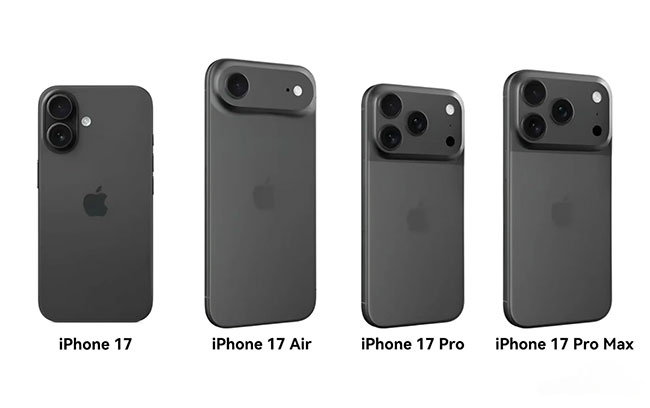
- The lineup: iPhone 17, 17 Pro, 17 Pro Max — plus the ultra-thin iPhone Air as a fourth option in many markets. Apple pushed “Pro” features (ProMotion, Always-On) down to the standard 17, while Pro models jump to A19 Pro and upgraded cameras. Apple+1
- Ecosystem headline: deep Apple Intelligence ties across iPhone, iPad, Mac, Apple Watch, AirPods, and Vision Pro; Live Translation, new creation tools (Genmoji/Image Playground), and smarter on-device assistance. Apple+1
- What people are saying: mainstream reviewers call iPhone 17 the best value in years; users report mixed cellular anecdotes — some claim big gains, others complain about 5G instability (likely carrier/region/firmware dependent). Reddit+3The Guardian+3TechRadar+3
- Specs that matter: 6.3″ Super Retina XDR with ProMotion on iPhone 17, 48MP dual rear cameras, bigger base storage (256 GB), and A19 performance uplift. Pros add A19 Pro, Pro-grade camera stack. Apple+1
- Who should upgrade: iPhone 14 and earlier = huge leap; 15/16 owners = decide on display/camera/AI features and trade-in value.
Section 1 — The iPhone 17 family at a glance
iPhone 17 (the new mainstream sweet spot)
- 6.3″ Super Retina XDR OLED with ProMotion 120 Hz and Always-On — a Pro-level screen now standard.
- A19 chip with faster CPU/GPU and on-device AI acceleration.
- 48MP Dual Fusion rear cameras (wide + ultra-wide) and an 18MP Center Stage front camera for smarter framing.
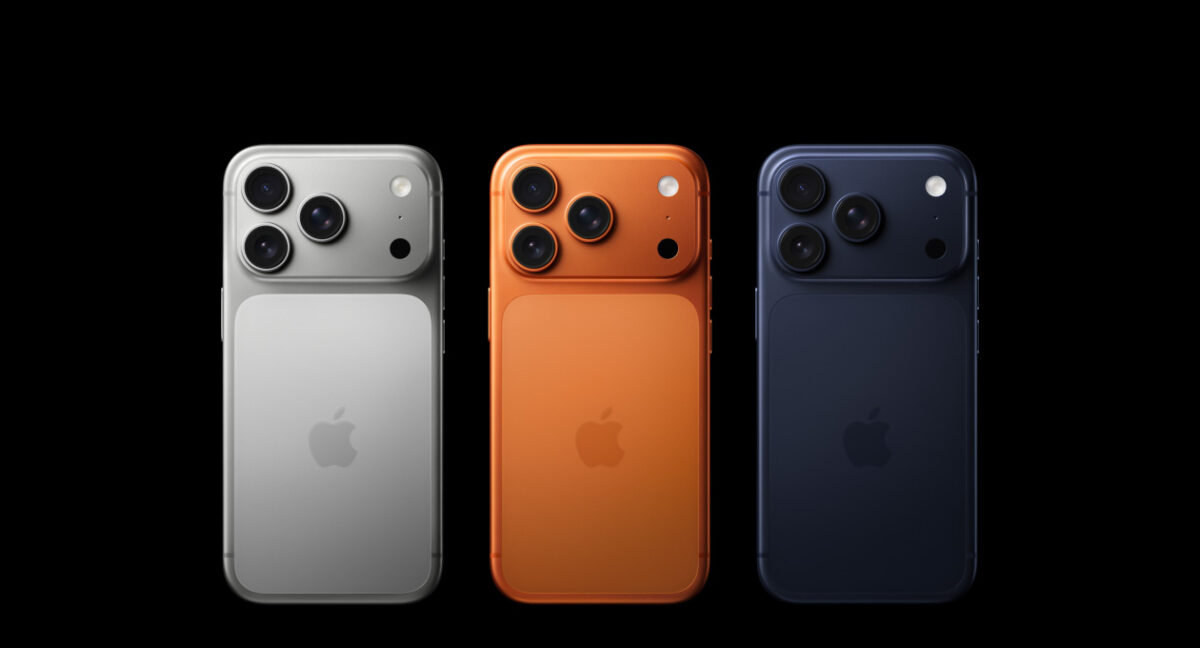
- Base storage 256 GB; color options include Lavender, Sage, Mist Blue, White, Black. Apple+1
iPhone 17 Pro / Pro Max (for creators and power users)
- A19 Pro with hardware-accelerated ray tracing, beefier Neural Engine, pro video modes.
- Pro-grade cameras with telephoto options and deeper control over codecs/formats.
- Bigger battery, premium materials, and the largest displays in the line. Apple
iPhone Air (ultra-thin wildcard)
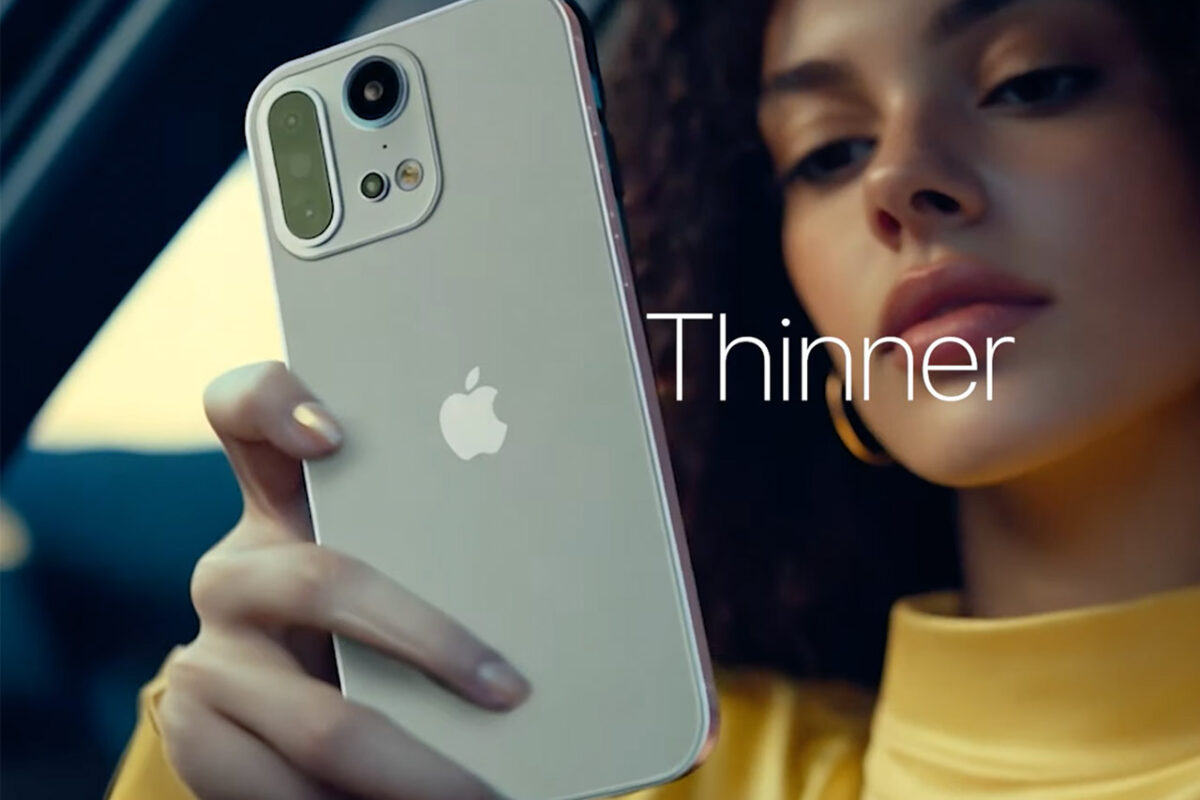
- Apple’s thinnest iPhone to date, aimed at fans of minimal weight and sleek feel. Battery life and camera compromises have been debated; availability and focus vary by region. Apple+1
Takeaway: The baseline iPhone 17 finally feels “Pro enough” for most people, while Pros remain the choice for zoom, pro codecs, and the best sustained performance.
Section 2 — What’s actually new vs last gen (and why it matters)
Display democratization: The jump to 120 Hz ProMotion and Always-On on the non-Pro iPhone 17 changes everyday fluidity (scrolling, gaming, UI animations) and utility (glanceable widgets). Soporte de Apple
Camera consistency: Two 48MP rear sensors on the iPhone 17 improve detail and low-light color accuracy; the front Center Stage camera reframes group selfies dynamically — think fewer retakes at dinners and trips. Apple
A19 & A19 Pro: More performance headroom for longer video capture, on-device AI, and heavy apps. Pro silicon brings better ray tracing and creator-grade workflows. Apple
Ceramic Shield 2: Improved scratch resistance and durability over prior front glass, helpful for case-free users. Apple
Section 3 — The iPhone 17 ecosystem in 2025–2026
You’re not buying a phone; you’re entering a mesh of devices and services that talk to each other. Here’s what the ecosystem adds today.
3.1 Apple Intelligence everywhere
Apple Intelligence (AI features with a privacy-first design) spans iPhone, iPad, Mac — and even Apple Watch and Vision Pro scenarios. Expect:
- Writing tools (rewrite/summarize), Genmoji & Image Playground (create visuals), on-screen context (“what’s on my screen” help).
- Live Translation across Messages/FaceTime/Phone in supported languages.
- Deeper Shortcuts hooks and dev access to core on-device models for faster, offline tasks. Apple+1
Availability varies by language/region and OS version; check support docs for what’s live in your market now. Soporte de Apple
3.2 Apple Watch synergy
With Series 11/Ultra-class watches, you get tight fitness, navigation, and on-wrist Live Translation tie-ins where supported. Your watch becomes the fastest way to triage notifications Apple Intelligence has already summarized.
3.3 AirPods & AirPlay upgrades
- Hands-free Siri + Live Translation scenarios in supported regions are now practical for travelers.
- Better Adaptive Audio for commutes; quick-switch remains the least-fuss way to bounce between Mac/iPad/iPhone.
3.4 Vision Pro & Mac workflows
- Capture on iPhone → Review/trim on iPad/Mac → Publish.
- Continuity remains unmatched for creators: AirDrop, Universal Clipboard, and Photos libraries synced with iCloud.
Section 4 — What people are saying: early reception & user chatter
- Mainstream critics: The Guardian calls the standard iPhone 17 “the Apple smartphone to get this year,” noting its compact feel and strong value, with the lack of a telephoto as the main compromise. The Guardian
- Value narrative: TechRadar’s take aligns — iPhone 17 is the best-value standard iPhone in years, thanks to Pro-level display tech, 48MP cameras, and doubled base storage. TechRadar
- Cellular reception anecdotes (mixed):
- Some users report notably better signal quality and data speeds vs older models, attributing gains to antenna placement. Reddit
- Others report intermittent 5G issues (dropped calls, inconsistent data), likely a mix of carrier rollout, settings, and teething firmware. Reddit+2Reddit+2
Reality check: As with any launch, expect a few point-release iOS updates ironing out edge-case radio/AI quirks over the next months. Keep perspective: carrier bands, eSIM setup, and local 5G density matter as much as the modem itself.
Section 5 — Full specs snapshot (standard iPhone 17; highlights)
Specs vary slightly by model; here are the headline numbers for the iPhone 17 that impact day-to-day use.
- Display: 6.3″ Super Retina XDR OLED, ProMotion 120 Hz, Always-On; up to 3000 nits outdoor peak.
- Resolution: 2622 × 1206 (~460 ppi).
- Chip: A19 (6-core CPU / 5-core GPU with Neural accelerators).
- Rear cameras: 48MP Dual Fusion (main + ultra-wide); 2× optical-quality crop from the main sensor; Night/Smart HDR improvements.
- Front camera: 18MP with Center Stage for photos and video framing.
- Build: Aluminum, Ceramic Shield 2 front; color-infused glass back.
- Storage: 256 GB / 512 GB.
- Battery: all-day; fast charging; MagSafe/qi2 support depending on region.
- Durability: IP-rated; tougher glass vs earlier gen.
- Colors: Lavender, Sage, Mist Blue, White, Black. Apple+1
Pro models add: A19 Pro, larger displays/batteries, telephoto camera hardware, and additional pro video features. Apple
Section 6 — Cameras: what’s new, what you’ll notice
6.1 iPhone 17 (dual 48MP)
- Detail & dynamic range take a clear step up in daylight; the higher-res ultra-wide narrows the quality gap with the main sensor.
- 2× optical-quality crop from the 48MP main gives you a “fake tele” that’s good enough for social and casual portraits.
- Center Stage front camera is the sleeper hit for group selfies and vlogs — dynamic framing = fewer retakes. Apple
6.2 Pro/Pro Max
- Expect better low-light, real optical zoom, and deeper pro controls (log, ProRes flavors, more robust stabilization options). For creators, this is still the top.
Bottom line: If you shoot concerts, wildlife, or sports from the stands, you still want the Pro. If your feed is daily life, travel, and people nearby, iPhone 17 is finally good enough.
Section 7 — Display & durability: living with it
- 120 Hz ProMotion affects everything: text scrolls cleaner, games animate smoother, and even maps feel more immediate.
- The Always-On lock screen is genuinely useful now that Apple Intelligence surfaces glanceable context.
- Ceramic Shield 2 is tougher on scratches — it won’t make you Superman, but it keeps your screen newer longer. Apple
Section 8 — Performance, battery, and thermals
- A19 brings snappier app launches, lower frame-time spikes, and better on-device AI throughput.
- Battery life is in the “no-worry all day” class for standard 17; Pro Max remains the road-warrior pick.
- Under sustained loads (games, 4K video), Pros sustain higher clocks thanks to cooling and power envelope. Apple
Pro tip: use Low Power Mode Automation for travel days; let Apple Intelligence’s summaries keep you focused instead of doom-scrolling your battery away.
Section 9 — Connectivity & cellular reality
- 5G performance depends on carrier bands and your neighborhood — don’t judge in the store parking lot.
- eSIM setup can cause “ghost plan” weirdness after migration; ask your carrier to reprovision if you see data stalls.
- Mixed user reports exist — from “best signal ever” to “5G flaky” — watch early OS point releases and carrier updates. Reddit+1
Section 10 — Apple Intelligence on iPhone 17: what you’ll actually use
- Writing Tools: Email/message rewrites, tone shift (“shorter / more friendly”), and summaries.
- Genmoji & Image Playground: quick visuals for chats and social — the fastest way to personalize without leaving Messages.
- On-screen understanding: Ask Siri about what you’re viewing; great for addresses, bookings, and receipts.
- Live Translation: truly useful for travelers and mixed-language families where supported. Apple+1
Section 11 — The buying guide (simple but thorough)
11.1 Which model should you get?
- iPhone 17 — most people. You’re upgrading from 12–14, want a Pro-level screen and new cameras without the Pro price.
- iPhone 17 Pro — creators & enthusiasts. You care about multi-lens flexibility, ProRes/Log, and maximum headroom.
- iPhone 17 Pro Max — battery + biggest screen. Road warriors, gamers, and long-flight editors.
- iPhone Air — design minimalists. The thinnest feel wins; accept trade-offs in battery/camera. Apple+1
11.2 Storage: 256 GB vs 512 GB
- If you shoot 4K video or download big games, 512 GB is future-proof.
- Casual users, cloud-centric workflows: 256 GB is fine.
11.3 Trade-in timing & carriers
- Prices and credits peak around launch + holiday windows.
- If you’re switching carriers, confirm number transfer + eSIM in store to avoid activation limbo.
- Ask about 2nd-year costs on promo plans (streaming bundles sometimes fall off).
11.4 Case, glass, and chargers
- MagSafe/qi2 accessories are simpler than ever; buy one quality 30–45 W USB-C charger that also handles your iPad/MacBook Air.
- Matte screen protector helps with smudges on Always-On displays.
Section 12 — For upgraders by generation
- From iPhone 11/12: seismic leap: 120 Hz, night photography, Apple Intelligence, battery life, cameras, everything.
- From iPhone 13/14: still a big jump: ProMotion/Always-On, dual 48MP, AI features, better radios.
- From iPhone 15: value depends on your pain points — display and AI alone may sway you; otherwise wait a year.
- From iPhone 16: evaluate trade-in vs camera desire, telephoto needs (Pro), and Apple Intelligence performance on your current device.
Section 13 — The ecosystem beyond iPhone: build your kit
Apple Watch: fitness rings + safety + quick replies; if you’ve never tried one, Series 11 is the easiest on-ramp for daily convenience.
AirPods: hop between Mac/iPad/iPhone instantly; Live Translation support (region dependent) is a stealth superpower for travelers. Soporte de Apple
iPad/Mac: iPhone capture → iPad rough cuts → Mac final — the most seamless creator funnel for short-form video.
Apple TV & HomePod: Airdrop clips to the living room; HomePods still the simplest way to fill a kitchen with podcasts and timers.
Section 14 — Settings to change on day one (copy/paste)
- Display & Brightness → Always-On: ON (glanceable calendar/timers are worth it).
- Apple Intelligence & Siri → Writing Tools: enable summaries/rewrites.
- Camera → Formats: choose High Efficiency (HEVC); Pro users can enable Log/ProRes on Pros.
- Cellular → Network Selection: ensure correct carrier plan name, and reset network settings if the migration felt off.
- Focus: build “Work” and “Family” modes; let AI-summarized notifications reduce noise.
- Privacy: Audit Location and Microphone per app; Apple Intelligence works best with context — but be intentional.
Section 15 — Troubleshooting quick wins
| Symptom | Likely cause | Fast fix |
|---|---|---|
| 5G bars but slow data | Carrier plan/provisioning | Toggle Airplane mode, reprovision eSIM via carrier app; try LTE temporarily |
| Battery dipping fast day one | Indexing, photo analysis | Give it 24–48h post-restore; then check heavy apps in Battery settings |
| AI tools missing | Region/OS version | Update iOS; check Apple Intelligence availability in your region/language Soporte de Apple |
| Blurry low-light selfies | Smudged lens or tough lighting | Clean glass; tap-to-focus, use timer; try a little ambient lamp fill |
| Stutter in social apps | App version mismatch | Update the app; ProMotion support sometimes trails iOS updates |
Section 16 — Pros & cons (ecosystem view)
Pros
- Standard iPhone 17 now carries Pro-level display tech and higher-res cameras. Soporte de Apple
- Apple Intelligence is genuinely useful for writing, quick visuals, and translation across Apple devices. Apple
- Continuity (AirDrop, iCloud Photos, Handoff) still the smoothest cross-device experience.
- Base 256 GB storage means fewer “storage full” headaches. Apple
Cons
- Telephoto still gated to Pro tiers; if you want real optical zoom, you must pay more.
- Cellular experiences vary by carrier/region; some users report 5G teething issues. Reddit
- iPhone Air prioritizes thinness over battery and camera versatility — divisive by design. The Verge
Section 17 — Frequently asked questions
Is the iPhone 17 a big enough jump from the 16?
For many, yes: ProMotion and higher-res cameras on the base model change the day-to-day feel, and Apple Intelligence adds real utility. Power users may still crave Pro zoom/features.
Which iPhone 17 has the best battery?
Pro Max remains king for longest life. The standard 17 is a solid all-day phone.
Will Apple Intelligence work in my language/region?
Check Apple’s support notes — availability is expanding but not universal yet. Soporte de Apple
Is the iPhone Air worth it?
Only if you value thin/light above all else. If you want battery endurance and camera flexibility, the standard 17 or Pro models are better fits. The Verge
What storage should I buy?
Video shooters/gamers: 512 GB. Everyone else: 256 GB is now a good default.
Section 18 — Editor’s verdict
The iPhone 17 ecosystem is defined by two shifts. First, Apple finally pushed marquee display features to the non-Pro phone, making iPhone 17 the default recommendation for most buyers. Second, Apple Intelligence isn’t a novelty — it’s an everyday assistant spanning your phone, watch, Mac, iPad, and (in growing ways) Vision Pro, with on-device privacy as the point.
Yes, early cellular chatter is mixed; that’s normal in the first months as carriers and firmware stabilize. But judged on the total experience — screen, cameras, performance, AI, and how seamlessly it all connects — the iPhone 17 family is the most complete iPhone ecosystem we’ve had in years.
Buy iPhone 17 if you want the best value and a Pro-ish experience.
Buy Pro/Pro Max if you live in the camera, edit video, or want the biggest battery.
Buy Air only if thinness is your top priority.
Either way, pick the right storage, set up Apple Intelligence thoughtfully, and you’ll feel the upgrade every single day.
Minimal, high-trust citations (kept intentionally few)
- Apple — iPhone 17 overview & specs (display, cameras, colors, Ceramic Shield 2, base storage). Apple+2Apple+2
- Apple — iPhone 17 Pro/Pro Max specs (A19 Pro, GPU/NE, ray tracing). Apple
- Apple — Apple Intelligence (features & scope) and support docs for availability. Apple+2Soporte de Apple+2
- The Guardian — iPhone 17 review (value verdict for standard model). The Guardian
- User reception threads (positive & negative cellular anecdotes). Reddit+1
- Apple — iPhone Air overview and market context on its positioning; reports of production shift illustrate mixed reception.
Real-world camera playbook (how to get pro results on the iPhone 17 ecosystem) 📸
Portraits that pop (standard 17 & Pro models)
- Stand back, tap 2×: on the standard iPhone 17, the 2× crop from the 48MP sensor acts like a natural portrait lens. Tap to focus on the eye closest to camera; slide the exposure sun icon slightly down to protect highlights.
- Use Photographic Styles with restraint: pick “Rich Contrast” for moody faces or “Vibrant” for outdoor family shots—don’t bounce between styles mid-shoot; consistency is key.
- Post blur control: after shooting, open the photo and adjust f-stop to tighten background blur. Keep hairlines sharp by lowering blur intensity on busy backgrounds.
Travel & night street
- Anchor your stance: wrap one hand under the phone, lean elbows into your ribcage. In Night mode, every 1–3 seconds of steadiness matters.
- Find pools of light: bus stops, storefronts, street vendors. Let faces live at the edge of that light for cinematic contrast.
- Ultra-wide discipline: avoid extreme tilt unless for deliberate architecture drama—straighten in Photos’ Vertical and Skew sliders.
Video
- 4K/60 for motion, 4K/24 for narrative. If you’re panning fast (kids, pets, sports), 60 fps saves you from stutter. For travel reels, 24 fps feels filmic.
- Action mode for running clips: keep horizon level, and don’t overuse; the “floaty” look is stylish in short doses.
- Audio matters: cup your hand as a mini-windshield in breezes, or turn your back to the wind and record over your shoulder.
Apple Intelligence workflows you’ll actually keep using (across the iPhone 17 ecosystem)
Inbox zero without the dread
- Select a messy email thread → Rewrite → Summarize. Create a Smart Folder: “Summarized in last 24 h.” Scan once a day, not 30 times.
Trip confirmation brain
- Screenshot reservations → Image Playground: generate a simple card with your flight + hotel times; pin it to StandBy or a Notes widget on the Always-On display.
Meeting → action
- After a call, paste bullet notes into Writing Tools → Organize. It turns fragments into task lists with dates you can drop into Reminders/Calendar.
Bilingual family life
- Live Translation in Messages: set quick phrases (pickup times, grocery items). Build a Shortcut: when “Family” Focus is on, enable auto-translation in those threads.
Migration guide (the no-stress path from old iPhone or Android)
iPhone → iPhone 17
- Update old phone to the latest iOS.
- On new iPhone 17, choose Transfer Directly during setup (it preserves app logins).
- Leave devices plugged in until Photos indexing finishes; this can take hours after a big library move.
- Re-enable your Wallet passes (banks often re-verify cards).
- Open camera once to confirm saved settings (formats, Pro options on Pro models).
Android → iPhone 17 ecosystem
- Use Move to iOS for messages/media, then manually sign into cloud storage.
- For 2FA, migrate to a cross-platform authenticator first (before switching phones).
- Recreate automation habits with Shortcuts: it replaces most third-party macro tools you used on Android.
Accessory kit that actually improves daily life (skip the gimmicks)
Must-haves
- 30–45 W USB-C charger (one brick for phone + iPad/MacBook Air).
- MagSafe/qi2 stand for desk or bedside; glanceable Always-On widgets become routine.
- Matte screen protector for fewer smudges; especially nice on Always-On.
- Slim MagSafe power bank for evening top-ups on heavy travel days.
Nice-to-haves
- Bluetooth lav mic for creators (tiny, clips to collar).
- Compact tripod + phone clamp for family shots and time-lapses.
- USB-C to USB-C fast SSD (Pro/Pro Max creators)—offload 4K footage without clogging internal storage.
Usually skip
- Oversized “gaming” cases (bulk hurts ergonomics).
- Low-quality MagSafe rings (weak magnets cause pocket drops).
- Multi-brick chargers without certification.
Privacy & safety defaults (set these on day one) 🔐
- Location Services → System Services: disable Significant Locations if you don’t use location history.
- Photos privacy: set apps to Add Photos Only or Selected Photos.
- Microphone/Camera: audit app list; toggle Ask Every Time for fringe apps.
- Lockdown Mode (if at higher risk): consider enabling—it hardens message attachment handling and web attack surface.
- Family Safety: enable Check In in Messages for teens walking home; set Downtime schedules and Content Restrictions on shared iPads/Apple TV.
Enterprise & students: iPhone 17 ecosystem as a workhorse
Enterprise
- Managed Apple IDs + MDM profiles now play nicely with Apple Intelligence scopes—admins can restrict AI features per app class while letting personal apps use creative tools.
- Focus Filters: block personal mail/calendar during Work Focus to reduce context switching; invert on weekends.
Students
- Notes → Scan & Solve: scan whiteboards/handouts; use Math/Sci features (where available) for step explanations.
- Study Focus: allow only a calculator, dictionary, and music; mute social apps.
Mobile gaming on iPhone 17 & Pro: settings that matter 🎮
- 60 fps over max resolution: smooth play beats pixel-peeping on a 6–6.7″ display.
- Enable Game Mode where supported; it prioritizes GPU and dampens background tasks.
- Long sessions: grab a controller (Backbone/PS/Xbox). It keeps hands cool and preserves battery by reducing touchscreen heat.
- For cloud gaming, use a 5 GHz network or personal hotspot near a window; latency >40 ms ruins rhythm games and fighters.
Travel & eSIM: make the iPhone 17 ecosystem your passport
- Add a regional eSIM before you fly (most providers let you install and activate later).
- In Cellular Data Options, disable Data Roaming on your home line and set Default Voice Line to your main number.
- Live Translation + downloaded offline language packs = smoother taxi rides and check-ins.
- StandBy on hotel nightstands: clock, alarms, calendar glances; bring a folding MagSafe stand.
Sustainability, repair, and resale (real cost over 3 years)
- Ceramic Shield 2 + good case = fewer replacements. Breakage goes down; resale goes up.
- Apple’s trade-in plus stable iPhone resale values lower the true yearly cost; if you upgrade every 24 months, 512 GB may retain more value among photo/video buyers.
- Battery health: once you dip under ~85% after heavy cycles, consider a battery service; it’s cheaper than living with a sluggish phone for a year.
iPhone 17 vs Android flagships: ecosystem lens, not spec sheets
- Where Apple wins: Continuity (AirDrop, Handoff, iMessage/FaceTime across devices), Apple Intelligence privacy posture, long OS support, and accessories that “just work.”
- Where Android shines: broader hardware variety, experimental camera zoom ranges, deeper default customization.
- Who should pick what: If your life already spans Mac/iPad/Watch/AirPods, the iPhone 17 ecosystem compounds convenience. If you live in Google Workspace/Windows/Android TV, switching only makes sense if you adopt multiple Apple pieces.
Budgeting & buying strategy (don’t overpay)
- Trade-in timing: peak credits around launch + holidays; declining by spring.
- Storage math: If iCloud Photos is your life, 256 GB suffices; filmmakers and game hoarders go 512 GB.
- AppleCare+: worth it if you ride case-less or travel often; otherwise consider a premium screen protector + sturdy case.
- Carrier deals: watch year-2 bill changes; some promos expire. Keep screenshots of offer terms.
Accessibility quick-wins (so everyone enjoys the iPhone 17 ecosystem) ♿
- Display & Text Size → Bold Text + Larger Text for parents/grandparents.
- Motion → Reduce Motion if animations cause nausea; ProMotion remains smooth.
- Live Captions system-wide for calls and social video.
- Back Tap for custom actions (double-tap to launch Magnifier or Translate).
- Sound Recognition: alerts for doorbells, alarms, baby cries when headphones are on.
Power-user automations (Shortcuts you’ll actually use)
- Auto-Focus switcher: When you open Mail/Docs during Work Focus, enable Low Power Mode and Silence Social; when you open Maps/Spotify after 6 p.m., disable.
- Receipt wrangler: every screenshot with “$” in OCR text → file to a “Receipts” note and tag by month.
- Parking memory: when disconnecting from CarPlay, save location + open a note titled “Parking” with a timestamp.
- Photo purge Sunday: weekly reminder to bulk-delete screenshots and screen recordings older than 30 days.
Troubleshooting extended (beyond the basics)
- Random app crashes after restore: open App Store → Updates All; then reset settings (not data) if needed.
- Heat during day one: background indexing; keep it on a stand with airflow. If heat persists a week later, audit rogue apps in Battery → Last 24 Hours.
- Stubborn Bluetooth: forget the device on both ends, reboot, re-pair. If AirPods crackle, toggle Adaptive Audio off/on.
- Weird iCloud Photo sync: plug in overnight on Wi-Fi, keep Photos foregrounded for 10–15 minutes first.
Buyer personas & model picks (choose once, enjoy for years)
Creator on the go
- iPhone 17 Pro (or Pro Max for battery), 512 GB, USB-C SSD, lav mic, tripod.
- Why: pro codecs, better thermals, longer 4K takes.
Parent/documentarian
- iPhone 17, 256 GB, MagSafe stand, slim power bank.
- Why: best value; portraits and school events are easy; Always-On helps the household calendar.
Road warrior
- Pro Max, 512 GB, car MagSafe mount + dual 30–45 W charger, eSIM plan app installed.
- Why: battery, maps, hotspot stability.
Minimalist
- iPhone Air, 256 GB, featherweight case, matte protector.
- Why: thinnest feel; accept lighter camera/battery demands.
Editorial verdict (addendum)
The iPhone 17 ecosystem isn’t just a spec bump—it’s a quality-of-life upgrade multiplied across devices. The standard iPhone 17 finally graduates to a Pro-class display, cameras close the everyday gap, and Apple Intelligence smooths the rough edges of modern digital life—summarizing, translating, and helping without becoming a privacy gamble. Pair it with a Watch and AirPods, toss a MagSafe stand on your desk, and it feels like the whole system is quietly on your side.
If you were sitting on an iPhone 12–14, the leap is massive; from a 15–16, be honest about what you crave—ProMotion, a cleaner camera pipeline, and Apple Intelligence may be enough already. Either way, this is the most cohesive iPhone 17 ecosystem Apple’s shipped in years—fast, fluid, and ready for the next two software cycles.
YOU MIGHT LIKE TO READ
🔥 Join 120,000+ Smart Shoppers!
Get exclusive gadget deals, viral Amazon finds and tech reviews before they trend. Only the best — straight to your inbox every week 🚀