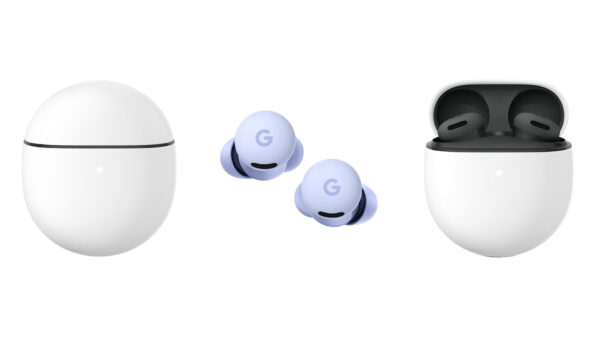
If you’re looking for a pair of budget-friendly wireless earbuds that still feel smart, polished, and deeply integrated with Android, the new Google Pixel Buds 2a are probably already on your radar. They’re the first A-series buds with full Active Noise Cancellation (ANC), they tap into Gemini for hands-free AI help, and they come in at a price that undercuts most “pro” earbuds while keeping the features that actually matter day to day.
In this google pixel buds 2a review, we’ll break down everything that makes (or breaks) these earbuds: design, comfort, ANC and sound quality, battery life, Gemini and smart features, call quality, real-world reviews, and how they compare to Pixel Buds Pro 2 and AirPods. The goal is simple: to help you decide if the Pixel Buds 2a should be your next everyday earbuds or if you should spend more (or less) on something else.
Short spoiler: the Google Pixel Buds 2a are positioned as the “sweet spot” for most Android and Pixel users – a budget price with just enough premium features to feel high-end without the high-end bill.
Quick Specs Snapshot: Pixel Buds 2a at a Glance
Before we dive deep into this google pixel buds 2a review, here’s a quick spec sheet so you can see what you’re actually getting.
| Feature | Google Pixel Buds 2a |
|---|---|
| Price at launch | ~$129 / £129 / €129 (varies by region) |
| Drivers | 11 mm dynamic drivers |
| Noise cancellation | Active Noise Cancellation (ANC) with Silent Seal 1.5 + Transparency / Ambient mode |
| Chipset | Google Tensor A1 for audio + AI features |
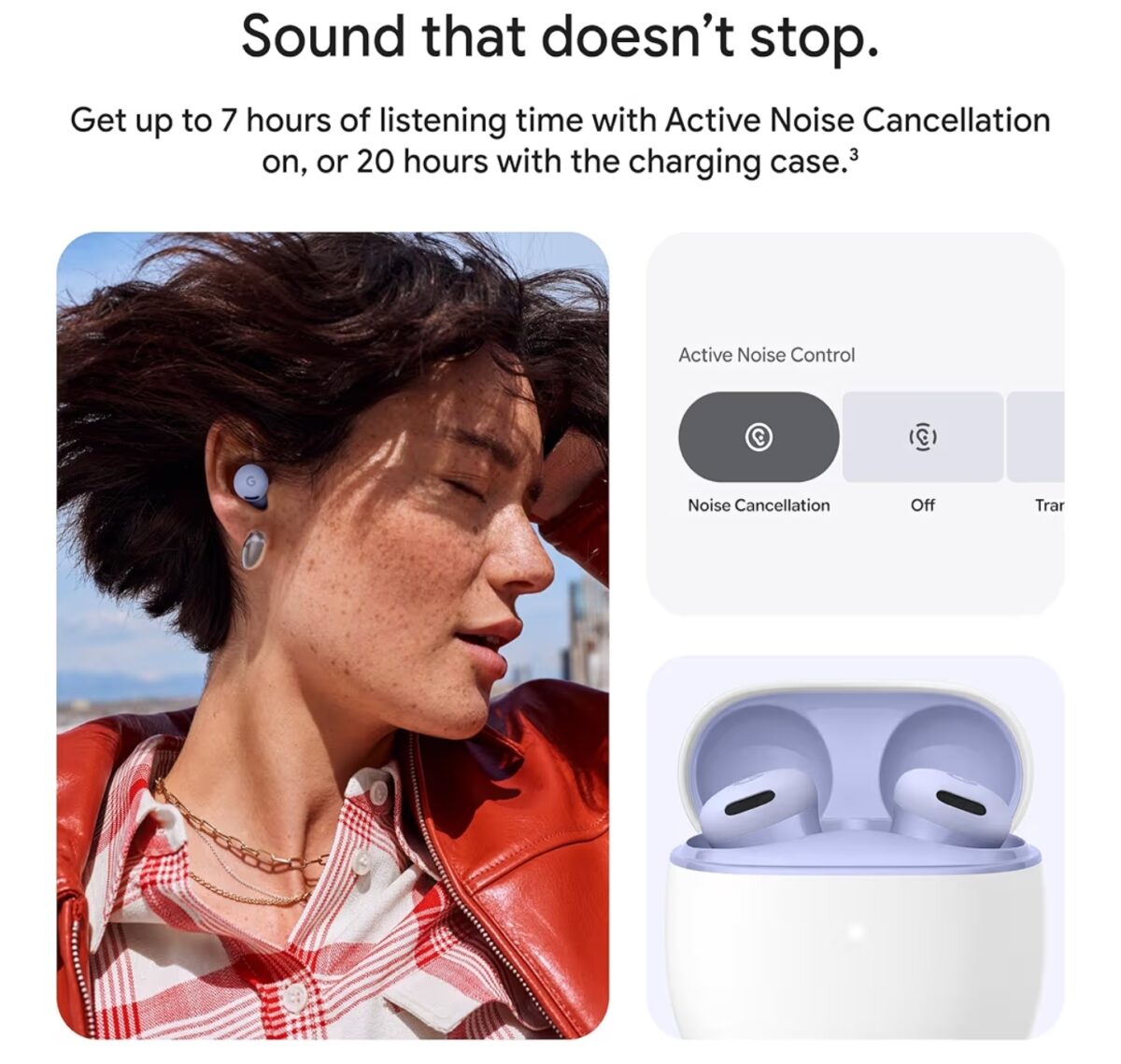
| Battery life (ANC on) | Up to ~7–8 hours per charge, up to ~20 hours total with case |
| Battery life (ANC off) | Up to ~10 hours per charge, up to ~27 hours total with case |
| Charging | USB-C wired charging, no wireless charging; case has replaceable battery in some regions |
| Water / sweat resistance | IP54 (buds) – suitable for workouts and light rain |
| Fit | Twist-to-adjust stabilizer fin + multiple eartip sizes |
| Smart features | Hands-free “Hey Google”, Gemini integration, Fast Pair, Find My Device |
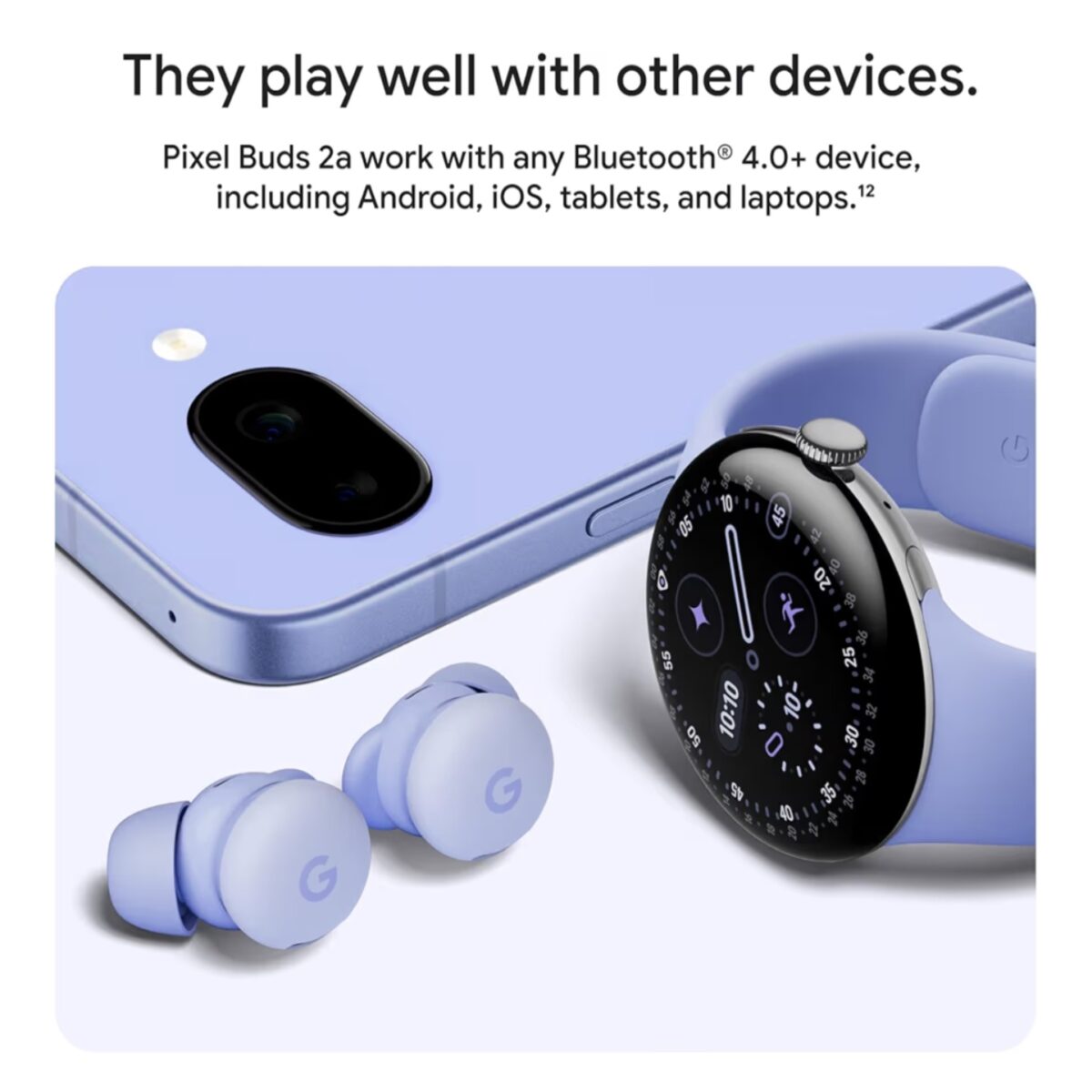
| Connectivity | Bluetooth 5.x, Multipoint, Audio Switch for fast device switching |
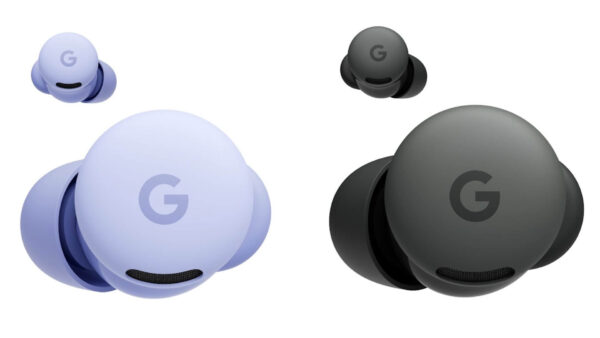
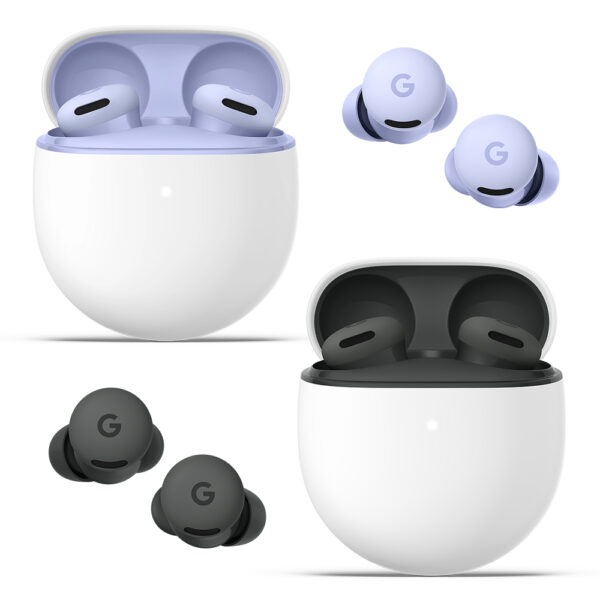
| Colors | Hazel, Iris (color lineup may grow over time) |
On paper, the Pixel Buds 2a look like a very solid package for the price. But as any good google pixel buds 2a review should do, we need to dig into how all that feels in real life, not just marketing slides.
Design & Comfort: Rounder, Lighter, and Built to Twist.
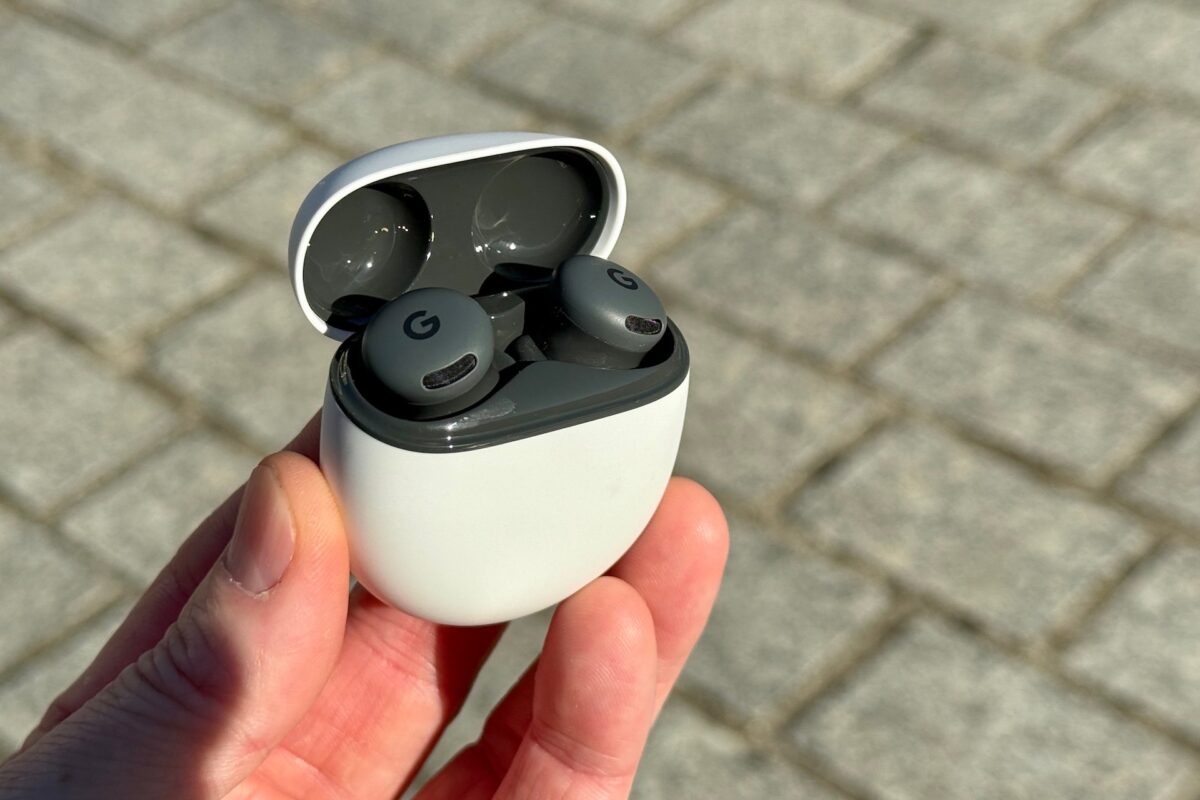
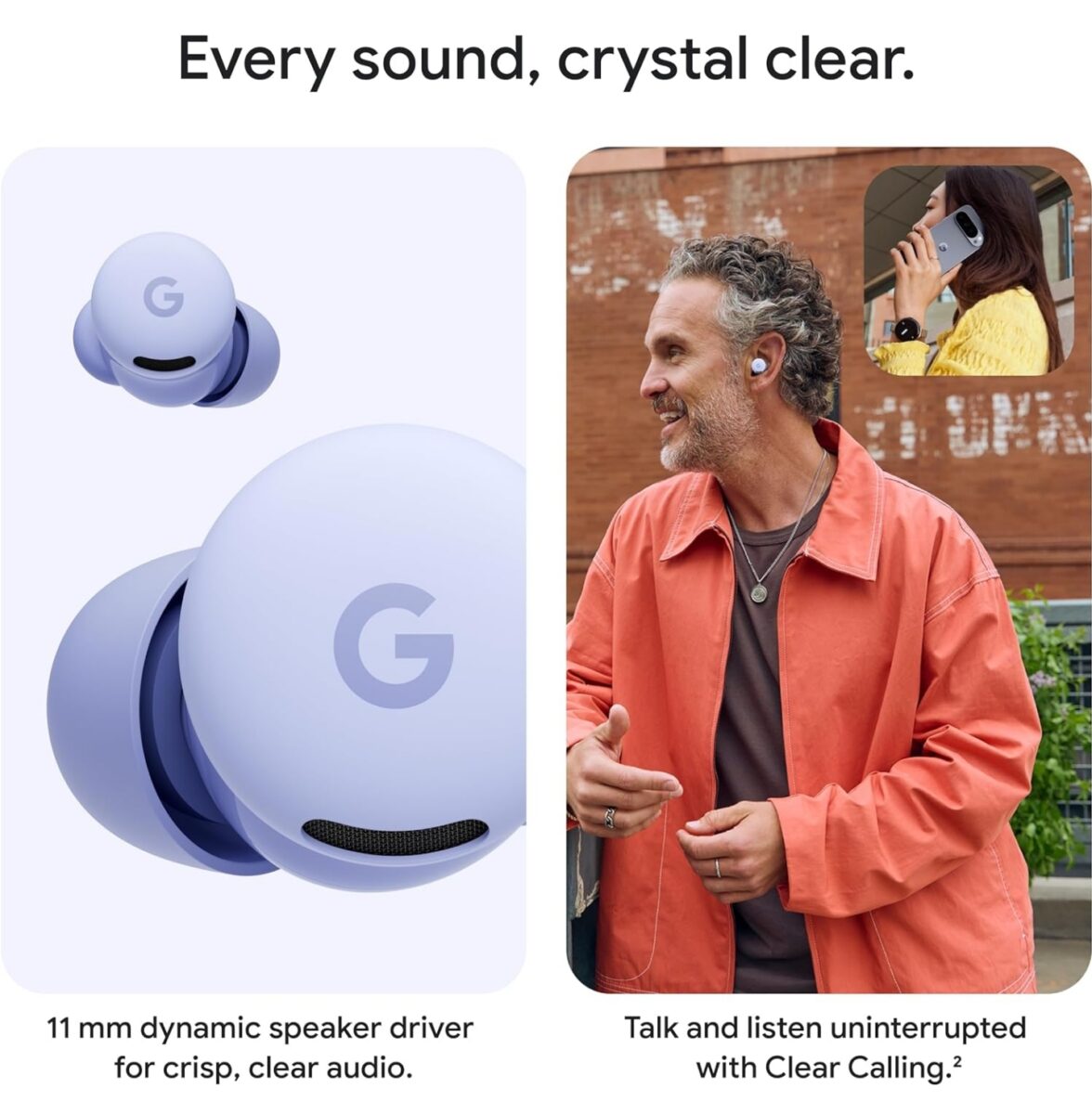
The first thing you’ll notice when unboxing the Pixel Buds 2a is how small and round everything is. Google has leaned into a more compact, rounded bud design that sits snugly in the ear without a big stem sticking out. They’re clearly designed to be “forget you’re wearing them” earbuds rather than a fashion statement.
Twist-to-Adjust Stabilizer
The signature physical feature is the twist-to-adjust stabilizer built into each earbud. Instead of a rigid wingtip, you gently twist the bud forward or upward to lock it into the concha of your ear. Once it’s in the right spot, the 2a feel remarkably secure without needing to jam them deep into your ear canal.
For this google pixel buds 2a review, that twist-to-fit system is one of the biggest everyday wins: it keeps the buds steady while running or at the gym, but you can also twist down to a more relaxed position for long listening sessions at a desk or on a plane.
Case Design & Pocketability
The charging case for the Pixel Buds 2a follows the familiar smooth “pebble” aesthetic of earlier Pixel Buds, but it’s slightly refined and still amazingly pocketable. It’s easy to pop open with one hand, the magnets are strong enough to hold buds securely, and the buds snap into their slots without needing to fiddle with alignment.
The only real downgrade compared to the Pro 2 case is no wireless charging at this price point. You charge via USB-C only. The upside is that Google has designed the case to be more repairable in some regions, including a replaceable battery option, which is a big deal for long-term value.
Comfort for Different Ear Shapes
Comfort is subjective, but if you’re reading a google pixel buds 2a review because you’ve struggled with other earbuds, here’s the good news:
- The buds are very light and low profile.
- The stabilizer fin doesn’t poke or dig; it nestles into the ear shape instead.
- Google includes multiple eartip sizes (XS, S, M, L), so you don’t have to compromise on seal.
In practice, that means the Pixel Buds 2a should fit most ears well, especially after a few minutes spent experimenting with both tip size and twist angle. If you’ve found AirPods or big stem-style buds uncomfortable or loose, the 2a’s smaller “button” form factor will probably feel like an upgrade.
ANC & Sound Quality: Silent Seal 1.5 on a Budget
The headline feature of the google pixel buds 2a review is right here: these are the first A-series Pixel Buds to include full Active Noise Cancellation, powered by the Tensor A1 chip and Google’s Silent Seal 1.5 tech.
Active Noise Cancellation (ANC)
For the price, ANC on the Pixel Buds 2a is legitimately impressive. It’s not quite at the same level as the Pixel Buds Pro 2 or best-in-class flagship ANC buds, but it does a very good job of cutting steady background noise:
- Commutes: low rumble of trains and buses is reduced enough that podcasts and music are clearly audible without cranking volume.
- Offices & cafés: air conditioners, fans, and general chatter fade into a soft, distant murmur.
- Home noise: keyboard clacking and distant TV noise are noticeably reduced, though not completely erased.
The magic comes from the combo of the physical seal (fit is crucial) and the Silent Seal 1.5 processing. Once you get a good fit, ANC feels very natural – few of that “pressure” sensation some bad ANC earbuds cause.
Transparency / Ambient Mode
Tap or press to switch to Transparency (Ambient) mode, and the microphones feed outside sound into your ears so you can hear traffic, announcements, or colleagues calling your name. It’s not quite as hyper-natural as the best Apple or Sony transparency modes, but it’s good enough to hold a conversation without pulling a bud out.
Sound Signature & EQ
Out of the box, the Pixel Buds 2a have a very approachable sound signature:
- Bass: present and punchy but not overly boomy. There’s enough low-end for pop, hip-hop, and EDM without drowning mids.
- Mids: clear and relatively neutral. Vocals and podcasts sound natural, not thin or muddy.
- Highs: detailed without being harsh, though extremely treble-sensitive listeners might tweak EQ slightly.
Thanks to the 11 mm drivers and updated acoustics, these earbuds sound more expensive than they are. And if you’re picky, you can dive into the Pixel Buds app or settings to tweak the 5-band EQ (bass, mids, treble, etc.) and save a curve that matches your ears and genres.
For most people reading a google pixel buds 2a review, the important takeaway is this: they sound good right away, with the option to push them toward more bass or more clarity if you want.
Battery Life & Charging: All-Day Listening for Most People
Battery life is a huge part of any earbud buying decision, especially if you commute, travel, or work in a noisy environment. The Pixel Buds 2a aim to deliver “all-day battery” without forcing you to baby the charger.
Battery Numbers (Realistic Expectations)
Google’s own estimates put the Pixel Buds 2a roughly in this range:
- ANC OFF: up to ~10 hours of listening per charge, ~27 hours total with the case.
- ANC ON: around ~7–8 hours per charge, ~20 hours total with the case.
Actual results will depend on volume, ANC/transparency use, calls vs music, and temperature. But in general, the Pixel Buds 2a can easily handle:
- A full workday of mixed listening with ANC on and off.
- A long flight plus airport time if you occasionally dock them for short top-ups.
- Several days of casual listening before you need to plug in the case.
Fast Charging & Case Battery
Plug the case into USB-C for a quick top-up. A short 5–10 minute charge in the case usually nets you around an hour of listening, which is perfect for “oh no, they’re dead and I’m about to leave” emergencies. There’s no wireless charging on the 2a, but that’s part of the trade-off that keeps the price down.
A bonus detail for long-term value: in select regions and markets, the Pixel Buds 2a case uses a more repairable design with a replaceable battery. That means you’re less likely to throw the whole thing away when the case battery eventually wears down after years of use.
Gemini, “Hey Google”, and Smart Features
One of the reasons someone searches for a google pixel buds 2a review instead of just grabbing random earbuds is the software. These buds are designed to be the “Google-first” choice for Android and especially Pixel phone users.
Hands-Free Gemini & Google Assistant
With Pixel Buds 2a, you can trigger your assistant with a simple “Hey Google” or by customizing a long press on either earbud. Behind the scenes, Google is leaning into Gemini as the brain:
- Ask for your schedule, weather, or directions.
- Listen to message summaries while walking or driving.
- Control smart home devices hands-free.
- Use “Live with Gemini” (where available) for more conversational help and on-the-fly info.
On a Pixel phone, the integration feels especially tight. If you’re used to juggling different assistant behaviors across brands, having earbuds, phone, and assistant all made by Google is genuinely less frustrating.
Adaptive Audio & Smart Volume
Depending on your firmware and region, the Pixel Buds 2a can also take advantage of various audio intelligence features Google has been rolling out:
- Adaptive audio: automatically adjusts volume based on ambient noise so you don’t have to keep fiddling with the level.
- Loud sound protection: limits sudden spikes in volume to protect your ears.
- Head gesture controls (limited rollouts): subtle head nods and shakes to accept/decline calls, where supported.
These small touches don’t show up on spec sheets, but they’re the reason a lot of people end up preferring a “smart” bud like the 2a over generic budget earbuds.
Connectivity, Multipoint & Audio Switch
In 2025, the best budget earbuds aren’t just about sound; they also need to effortlessly handle multiple devices. That’s a key part of this google pixel buds 2a review: how they manage your phone, laptop, tablet, and more.
Fast Pair & Easy Setup
On Android, setup feels almost magical:
- Open the case near your phone.
- Wait for the Fast Pair popup to appear.
- Tap to connect. Done.
That same flow extends to Chromebooks and other Android devices linked to your Google account, making it feel very similar to the way AirPods auto-pair across Apple devices.
Multipoint & Audio Switch
The Pixel Buds 2a support Multipoint, letting them stay connected to two devices at once (for example, your phone and your laptop). They can also leverage Audio Switch so audio automatically hops to whichever device starts playing something important:
- Watching a video on your tablet, then your phone rings? The audio jumps to your phone for the call.
- Listening to a podcast on your phone and start a video meeting on your laptop? Audio moves to the laptop once you join.
It’s not always perfect 100% of the time (nothing is), but it reduces the “go into Bluetooth settings, disconnect, reconnect, repeat” dance that plagues cheaper earbuds.
Call Quality: Clear Calls, Windy Streets Included
No google pixel buds 2a review would be complete without talking about call quality. For many people, earbuds are as much a hands-free headset as they are a music device.
Pixel Buds 2a lean on a combination of beamforming microphones, noise suppression, and Google’s Clear Calling tech to keep your voice audible even in messy environments. In most use cases:
- Your voice sounds natural, not robotic, to the person on the other end.
- Wind noise is reduced significantly, though not always completely on stormy days.
- Street and café sounds get pushed into the background instead of overwhelming the conversation.
Is it flagship, studio-quality call performance? Not quite – but for the price point, the Pixel Buds 2a are more than good enough for work calls, family chats, and voice messages.
Real-World Reviews & Early Impressions
Let’s ground this google pixel buds 2a review in what early reviewers and everyday users are actually saying.
What Tech Reviewers Like
Across multiple reviews and hands-on articles, the same praises keep popping up:
- Comfort and fit: the twist-to-adjust stabilizer and light weight make them comfortable for long sessions.
- ANC for the price: reviewers call the ANC “surprisingly effective” for this budget bracket.
- Sound quality: widely described as balanced, enjoyable, and good enough to rival pricier earbuds.
- Gemini & Android integration: the convenience of voice commands, Fast Pair, and device switching gets a lot of praise.
- Battery + value: most reviewers consider the combo of features and battery life at this price a big win.
Common Criticisms
They aren’t perfect, of course. Some consistent downsides reported in early reviews include:
- No wireless charging: some users miss dropping the case on a Qi pad like the Pro 2.
- Case materials & hinge feel slightly cheaper: compared to Pro models, the 2a case feels more “budget” (because it is).
- ANC not flagship-level: very good for the price, but not quite as strong as top-end AirPods or Sony buds in brutal environments like airplanes.
Overall, the consensus from early tech coverage is that the Pixel Buds 2a deliver the right compromises for budget-conscious Android users: cut the lux extras, keep the core experience really good.
Pixel Buds 2a vs Pixel Buds Pro 2
If you’re already in the Google ecosystem, the obvious comparison for any google pixel buds 2a review is Pixel Buds 2a vs Pixel Buds Pro 2.
Why You Might Still Want Pixel Buds Pro 2
- Stronger ANC: Silent Seal 2.0 and more advanced ANC tuning on the Pro 2s handle planes and intense noise better.
- Wireless charging: drop the case on a wireless charging pad instead of plugging in.
- More “premium” design and materials: the case and buds feel more upscale.
- Extra features first: some new software features and audio tricks may hit Pro 2 first as Google’s flagship line.
Why Pixel Buds 2a Might Be Enough (or Better) for You
- Price: significantly cheaper while delivering ANC, good sound, and smart features.
- Lighter and slightly smaller: for some ears, 2a is actually more comfortable.
- Repairability angle: the replaceable case battery story makes long-term ownership more appealing for budget buyers.
- Same Google DNA: they still get Gemini, Fast Pair, Multipoint, Audio Switch, and other core Google features.
If you crave the absolute best ANC and premium touches, Pro 2 is still your move. But for most people reading a google pixel buds 2a review, the 2a are now the easy recommendation because they hit that “90% of the experience for a lot less money” sweet spot.
Pixel Buds 2a vs AirPods (for Android Users)
Even though AirPods are technically tuned for Apple devices, Android buyers still consider them sometimes. So it’s worth quickly addressing the comparison in this google pixel buds 2a review.
Where Pixel Buds 2a Win for Android
- Native integration: Fast Pair, Gemini, Google Assistant, and Android-level controls just work out of the box.
- App and firmware updates geared to Android: no weird compatibility gaps or missing features.
- Better Android ecosystem fit: you don’t have to rely on third-party apps to access advanced features.
Where AirPods Still Have an Edge
- Cross-platform convenience if you also own Apple devices: but that advantage shrinks if your main phone is Android.
- Flagship-level ANC and transparency (on certain AirPods models): but at a higher price.
For pure Android and Pixel users, the Pixel Buds 2a are almost always the smarter buy—better integration, a more sensible price, and features built for the ecosystem you actually use.
Daily Life With Pixel Buds 2a: Real Use Cases
One of the most useful parts of any google pixel buds 2a review is imagining how they fit your everyday routine. Here’s how they handle some common scenarios.
Morning Commute
- Pop the buds in as you leave home.
- ANC on, mid volume, catch up on a podcast or playlist while the world dulls to a soft background hum.
- With Multipoint on, you can listen from a laptop or tablet on the train, then have audio switch to your phone when a call comes in.
Work or Study Sessions
- Use ANC + lo-fi playlists to block distractions in open offices or libraries.
- Switch to Transparency mode when a coworker walks up, so you can talk without pulling a bud out.
- Ask Gemini to set timers, reminders, or check your schedule hands-free between tasks.
Gym & Running
- Twist the stabilizer for a more locked-in fit so they don’t budge during runs or HIIT workouts.
- IP54 resistance is enough for sweat and light rain, so you don’t have to baby them during outdoor sessions.
- Transparency mode helps if you’re running near traffic and need situational awareness.
Travel & Flights
- ANC helps mid-flight, especially combined with in-flight white noise or soft music.
- Buds + case can cover a full travel day with some breaks to charge.
- Gemini or Assistant can read your messages, check flight status, and pull up directions when you land.
Used this way, the Pixel Buds 2a quickly become more than just “music earbuds” – they’re your little AI + audio sidekick everywhere you go.
Pros & Cons: Google Pixel Buds 2a
Pixel Buds 2a Pros
- Excellent value: strong ANC, good sound, and deep Android integration at a very competitive price.
- Comfortable twist-to-fit design: secure for workouts, relaxed for long listening sessions.
- Real ANC + Transparency: blocks everyday noise surprisingly well for budget earbuds and offers a useful ambient mode.
- Great for Android and Pixel users: Fast Pair, Gemini, Find My Device, Multipoint, and Audio Switch are big quality-of-life wins.
- Solid battery life: all-day mixed use is realistic, with fast top-ups from the case.
- Repairability angle on the case: replaceable battery in some markets means less e-waste and longer usable life.
Pixel Buds 2a Cons
- No wireless charging: it’s USB-C only, which may feel like a downgrade if you’re used to tossing the case on a Qi pad.
- ANC not as strong as top flagships: great for the price, but heavy travelers might still prefer Pro 2 or premium competitors.
- Case materials feel a bit budget: hinge and plastics are decent but not as luxurious as the Pro line.
- Best experience is Google-centric: they work with non-Pixel Android phones and even other platforms, but you’ll lose some magic outside Google’s ecosystem.
Who Should Buy Google Pixel Buds 2a?
To wrap up this google pixel buds 2a review, here’s the simple breakdown of who will be happiest with these earbuds.
Pixel Buds 2a Are Perfect For:
- Pixel phone owners: this is the most obvious match. You get a “made for Pixel” experience without paying Pro prices.
- Android users who want smart features without going premium: if you want ANC, Gemini integration, Multipoint, and a clean app experience, the 2a deliver all of that at a midrange price.
- Commuters, students, and remote workers: anyone who needs solid ANC for trains, buses, and noisy offices will see these as a big upgrade over basic Bluetooth buds.
- People who hate heavy earbuds: if larger buds or stems always feel like they’re about to fall out, the lighter, rounder 2a might finally fit comfortably.
Pixel Buds 2a Might Not Be Ideal For:
- Noise-cancellation perfectionists: if you want the absolute strongest ANC on the market for planes and constant traveling, you may still want Pro 2 or other high-end flagships.
- Wireless charging fans: if your entire life is built around wireless chargers, the lack of Qi charging on the 2a will annoy you.
- Non-Android users: they’ll work, but you won’t get anywhere near the full feature set on iOS or other platforms.
FAQ: Google Pixel Buds 2a
Do Google Pixel Buds 2a have good ANC?
Yes, for the price point, the Pixel Buds 2a ANC is impressive. It’s strong enough for commuting, office noise, and everyday environments. It doesn’t completely match the very best flagship ANC, but it’s more than good enough for most situations.
Are Pixel Buds 2a comfortable for small ears?
Thanks to the small, rounded design, multiple eartip sizes, and twist-to-fit stabilizer, the Pixel Buds 2a are generally very comfortable for a wide range of ear shapes, including smaller ears. As always, the key is experimenting with both tip size and how far you twist.
Can I use Pixel Buds 2a with an iPhone?
Technically yes: they connect like any other Bluetooth earbuds. However, many of the best features described in this google pixel buds 2a review (Fast Pair, Gemini, Audio Switch, app controls) are designed for Android and especially Pixel phones.
Are Pixel Buds 2a good for gaming?
For casual mobile gaming, they’re fine. Latency is low enough for most non-competitive titles. For competitive esports-level reaction times, you’d still want a gaming-focused headset or a low-latency mode that’s specifically marketed for that use case.
Do Pixel Buds 2a support wireless charging?
No, the Pixel Buds 2a case charges via USB-C only. If you want wireless charging, you’ll need to step up to Pixel Buds Pro 2 or another wireless-charging model.
Will Pixel Buds 2a get software updates over time?
Yes, Google typically rolls out feature updates and refinements via firmware and app updates. Being a recent product in the Pixel ecosystem, the 2a should benefit from ongoing improvements for quite a while.
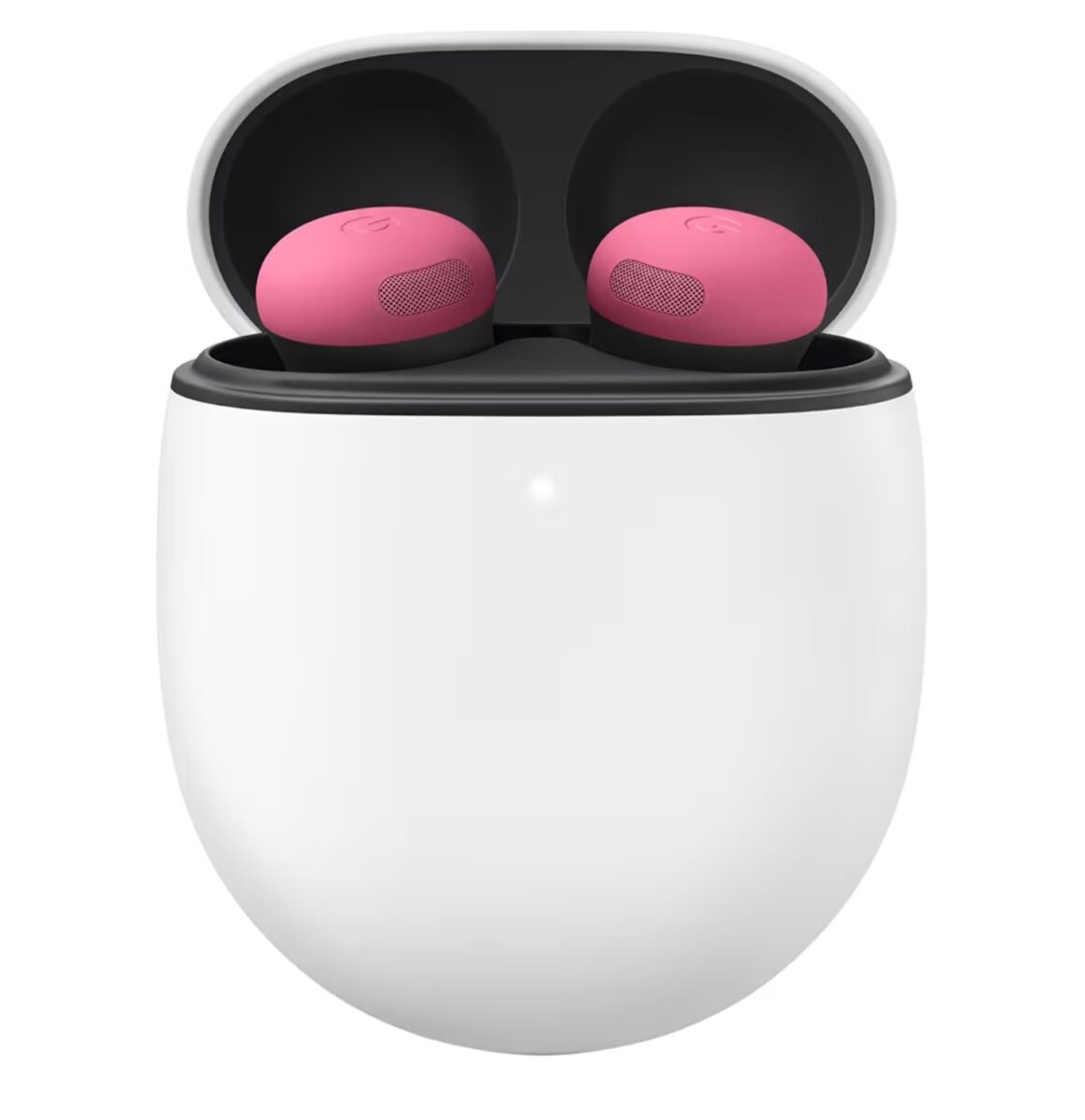
Google Pixel Buds Pro 2 Wireless Earbuds. Bluetooth Headphones, Peonywith Active Noise Cancellation
Final Verdict: Are Pixel Buds 2a Worth It?
So, what’s the bottom line of this google pixel buds 2a review?
If you want Google-first earbuds with real ANC, good sound, deep Gemini integration, and solid battery life—without spending “pro” money—then the Google Pixel Buds 2a are an easy recommendation. They don’t chase spec sheet glory; they deliver the features that matter most in everyday life and cut the extras that mainly inflate price.
If you live inside the Android and Pixel ecosystem, they’re kind of a no-brainer: a comfortable, smart, and genuinely helpful pair of earbuds at a price that feels fair. Unless you have a very specific need for the absolute strongest ANC or wireless charging, the Pixel Buds 2a are likely the best “bang for your buck” Google earbuds you can buy in 2025.
In other words: for most people, the Google Pixel Buds 2a are exactly what good budget earbuds should be—smart enough, quiet enough, and good enough that you stop thinking about your earbuds and just enjoy using them every day.
Google Pixel Buds 2a Review (2025): Affordable Android Earbuds With Google-First Smarts
Xbox Series S (512 GB) Hits a Historic Low Before Black Friday — Should You Buy It Now or Wait?
🔥 Join 120,000+ Smart Shoppers!
Get exclusive gadget deals, viral Amazon finds and tech reviews before they trend. Only the best — straight to your inbox every week 🚀